Best Home NAS Enclosure in 2026
TL;DR — Quick Answer
The Synology DS223 is the best 2-bay home NAS for most people — polished software, strong app ecosystem, and a price that doesn’t punish beginners. Power users who want faster hardware should look at the UGREEN NASync DXP2800 or the Synology DS423+ (4-bay). Note: this guide covers enclosures only — you also need NAS-rated drives. See our Best NAS Hard Drive guide for drive recommendations.
| Product | Key Spec | Capacity | Best For | Buy |
|---|---|---|---|---|
| Synology DS223 | Realtek RTD1619B quad-core, 2GB DDR4, 1GbE | 2 bays | NAS beginners, clean software | Amazon |
| QNAP TS-233 | ARM Cortex-A55 quad-core, 2GB DDR4, 1GbE | 2 bays | Budget 2-bay, tinkerers | Amazon |
| Synology DS423+ | Intel Celeron J4125, 2GB DDR4 (up to 6GB), 2x1GbE | 4 bays | Home media server, Plex | Amazon |
| UGREEN NASync DXP2800 | Intel N100, 8GB DDR5 (up to 16GB), 2.5GbE | 2 bays + 2 NVMe | Power users, content creators | Amazon |
| TerraMaster F2-424 | Intel N95, 8GB DDR5, 2×2.5GbE | 2 bays + 2 NVMe | Performance-first 2-bay | Amazon |
| Asustor Drivestor 2 Pro Gen2 | Realtek RTD1619B quad-core, 2GB DDR4, 2.5GbE | 2 bays | Budget with 2.5GbE | Amazon |
How We Picked
- Software ecosystem. The NAS operating system matters as much as the hardware. Synology DSM is the gold standard for ease of use; QNAP QTS gives more flexibility; UGREEN and Asustor have improving ecosystems. We weighted software quality heavily for home users.
- CPU for transcoding. A weak ARM CPU struggles with 4K Plex transcoding. We identified which units can handle it in software and which need a direct-play setup.
- Network speed. Gigabit ethernet (1GbE) is standard and fine for most homes. 2.5GbE is a meaningful upgrade if your router supports it; we noted which units include it.
- Expansion and future-proofing. M.2 NVMe slots for SSD caching or tiered storage are a bonus. We noted which enclosures include them.
- Price-to-value. We focused on enclosures in the home-user price range — the range where a home user gets real value without paying enterprise prices.
- Drive compatibility lists. Every enclosure here has well-maintained compatibility lists for major NAS drives.
NAS vs External Hard Drive — Which Do You Need?
A NAS (Network Attached Storage) is a small server that connects to your home network and shares storage to every device in your house, without needing a computer turned on. It can run RAID for redundancy, serve as a Plex media server, back up your phones automatically, and be accessed remotely.
An external hard drive is a single drive that connects directly to one computer at a time. It’s simpler, cheaper, and perfectly adequate for backing up one machine.
Choose a NAS if you want: shared storage for multiple users or devices, media server capabilities, automatic backups from multiple computers, or RAID redundancy without managing a full PC. Choose an external drive if you just need to back up one computer or create an offsite archive.
Important: This Guide Covers Enclosures Only
The NAS enclosures listed here do not include hard drives. You’ll need to purchase NAS-rated drives separately. We strongly recommend against using desktop drives in a NAS — see our Best NAS Hard Drive guide for the right drives to pair with these enclosures.
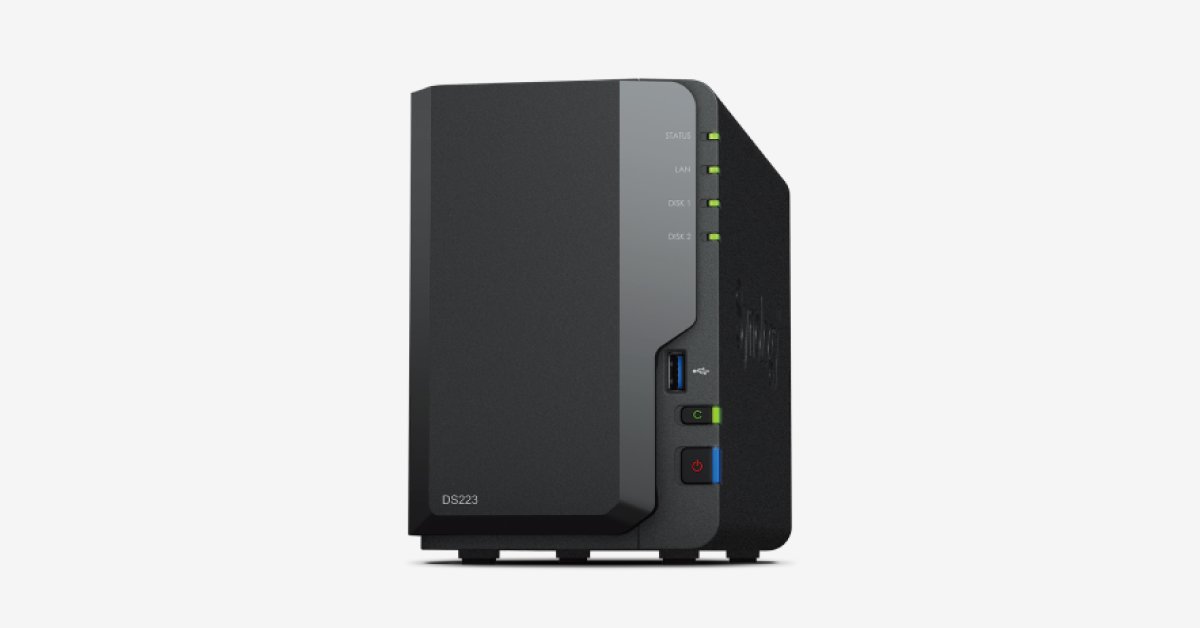
Synology DS223 — Best Home NAS Overall
- Bays: 2
- CPU: Realtek RTD1619B quad-core 1.7GHz ARM
- RAM: 2GB DDR4 (not upgradeable)
- Network: 1 x Gigabit Ethernet
- USB: 3 x USB-A 3.2 Gen 1
- Max single volume: 108TB
- OS: Synology DSM 7
The DS223 is the NAS I recommend to friends who’ve never run a NAS before. Synology’s DSM operating system is the best NAS software in the industry — it’s as close to plug-and-play as network storage gets, with a browser-based interface that looks like a desktop OS, a polished mobile app (DS Photo, DS Video, DS File), and an active app ecosystem built around real home use cases.
Setup typically takes 15–20 minutes from unboxing to first backup. Synology’s Active Backup for Business (free) handles backups from Windows PCs; Time Machine on Mac works without any configuration beyond pointing it at the NAS. The DS223 also supports Docker, so home lab users can run lightweight containers without dedicated server hardware.
The Realtek RTD1619B ARM CPU is not a transcoding powerhouse — expect software-based transcoding of 1080p without issue, but 4K software transcoding will be choppy. If you primarily direct-play your media files (which most modern TVs and smart devices support), this is fine. If you need 4K software transcoding, step up to the DS423+ with its Intel Celeron.
QNAP TS-233 — Best Budget 2-Bay NAS
- Bays: 2
- CPU: ARM Cortex-A55 quad-core 2.0GHz
- RAM: 2GB DDR4
- Network: 1 x Gigabit Ethernet
- USB: 1 x USB 3.1 Gen 1, 2 x USB 2.0
- OS: QNAP QTS 5
The QNAP TS-233 is the budget alternative to the Synology DS223 and it’s worth considering if you’re cost-sensitive or if you prefer QNAP’s more flexible (if more complex) QTS ecosystem. The ARM Cortex-A55 at 2.0GHz gives it a slight spec advantage on paper over the DS223’s 1.7GHz CPU, though real-world performance in typical NAS workloads is similar.
QNAP’s QTS is more feature-rich than Synology DSM in some ways — particularly for virtualization and container workloads — but it has a steeper learning curve. For someone who just wants to set up network backups and a Plex library, DSM is friendlier. For a home lab user who wants VLAN support, advanced networking, and QNAP’s QVR Pro surveillance platform, QTS makes sense.
The TS-233 also includes a built-in NPU for face and object recognition in surveillance applications — a niche feature, but genuinely useful if you’re running IP cameras.
Synology DS423+ — Best 4-Bay Home NAS for Media Servers
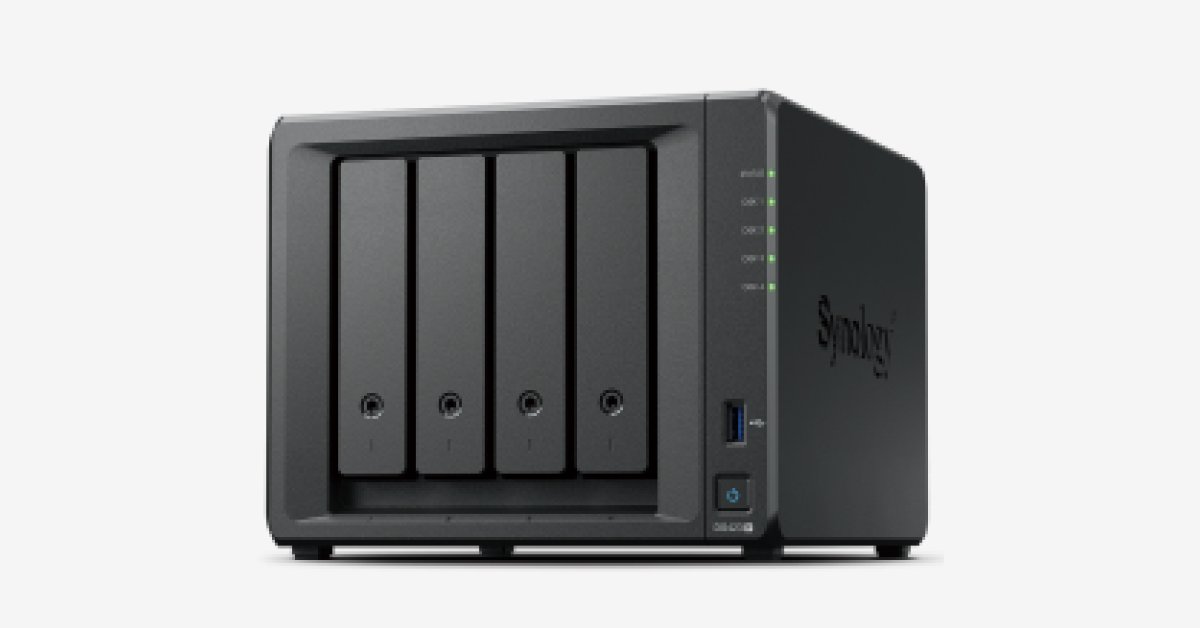
- Bays: 4
- CPU: Intel Celeron J4125 quad-core 2.0GHz (burst 2.7GHz)
- RAM: 2GB DDR4, expandable to 6GB
- Network: 2 x Gigabit Ethernet (link aggregation capable)
- USB: 2 x USB 3.2 Gen 1, 1 x eSATA
- M.2 NVMe slots: 2 (for SSD caching or tiered storage)
- OS: Synology DSM 7
The DS423+ is the step-up Synology for home users who want more bays, more CPU power, and more flexibility. The Intel Celeron J4125 is the key difference — it handles real-time 4K H.264/H.265 transcoding in Plex with hardware acceleration, which the ARM-based DS223 cannot do. If you’re building a home media server and want Plex to transcode on the fly for remote devices, this is the unit.
Four bays mean you can run Synology Hybrid RAID (SHR) with up to two drive failures tolerated, or build a standard RAID 5/6 array. You can start with two drives and expand later without losing data — a genuine advantage over a 2-bay unit where growth means either buying a new NAS or running out of redundancy.
The two M.2 NVMe slots can hold SSDs for read/write caching, which dramatically improves random I/O performance for frequently accessed files. This is particularly useful if your NAS doubles as a database server or Nextcloud instance.
UGREEN NASync DXP2800 — Best 2-Bay NAS for Power Users
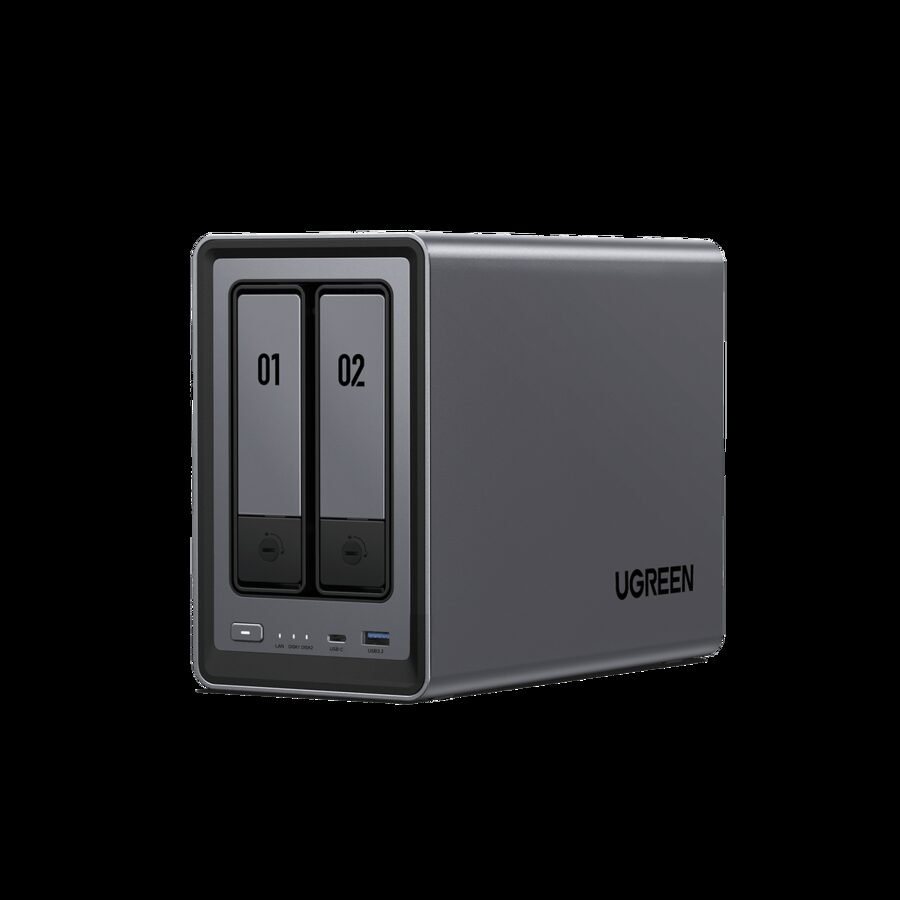
- Bays: 2 SATA + 2 M.2 NVMe
- CPU: Intel N100 quad-core, up to 3.4GHz
- RAM: 8GB DDR5 (expandable to 16GB)
- Network: 1 x 2.5GbE
- Video: 4K HDMI output
- OS: UGOS Pro
The DXP2800 is the most impressive hardware value in the 2-bay NAS market right now. The Intel N100 processor and 8GB DDR5 RAM give it more raw compute than the DS423+ at a similar price point, the 2.5GbE port future-proofs the network connection, and the HDMI output means you can use it directly as a lightweight media player or desktop Linux machine without a separate computer.
UGREEN’s UGOS Pro is a newer platform built on Linux, with a growing app ecosystem including Docker support. It’s not as mature as Synology DSM, but UGREEN has been developing it rapidly and it’s genuinely usable for home lab workloads. If you’re comfortable with a slightly rougher software experience in exchange for significantly better hardware, the DXP2800 is compelling.
The two M.2 NVMe slots can hold either cache drives or be used as primary storage — combined with the two SATA bays, you get a flexible 4-device storage pool in a compact 2-bay chassis.
TerraMaster F2-424 — Best for Raw Performance in a 2-Bay NAS
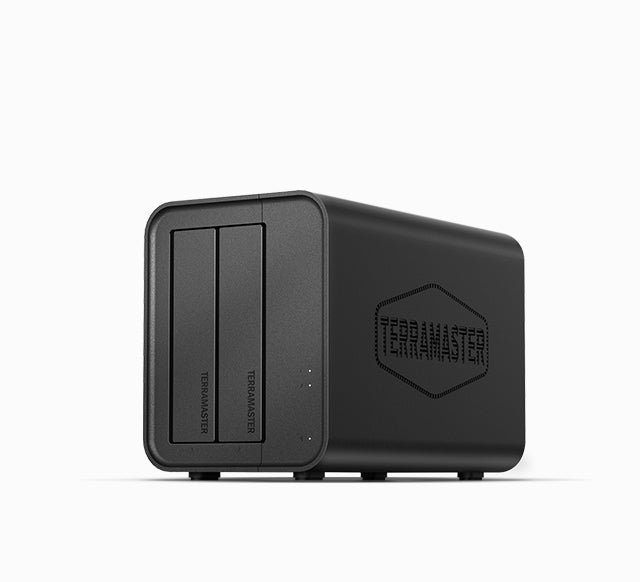
- Bays: 2 SATA + 2 M.2 NVMe
- CPU: Intel N95 quad-core, up to 3.4GHz
- RAM: 8GB DDR5 4800MHz
- Network: 2 x 2.5GbE
- OS: TOS (TerraMaster OS)
The TerraMaster F2-424 packs two 2.5GbE ports alongside an Intel N95 CPU and 8GB DDR5 RAM in a compact chassis — hardware specs that rival units costing significantly more. Dual 2.5GbE allows link aggregation for effective 5Gbps throughput to a compatible switch, which is genuinely useful for large sequential file transfers to a RAID array.
TerraMaster OS has improved considerably in recent releases and now supports Docker, virtual machines (via TOS Virtualization), and a growing app store. It still lacks Synology DSM’s polish and ecosystem depth, but for a home lab user who wants the fastest possible hardware at the lowest price, the F2-424 is hard to beat.
The dual M.2 NVMe slots add SSD caching capability, and TerraMaster’s TRAID technology is a proprietary redundancy option worth understanding — it operates similarly to Synology SHR and allows drives of different sizes to be combined with redundancy.
Asustor Drivestor 2 Pro Gen2 (AS3302T v2) — Best Budget 2-Bay with 2.5GbE
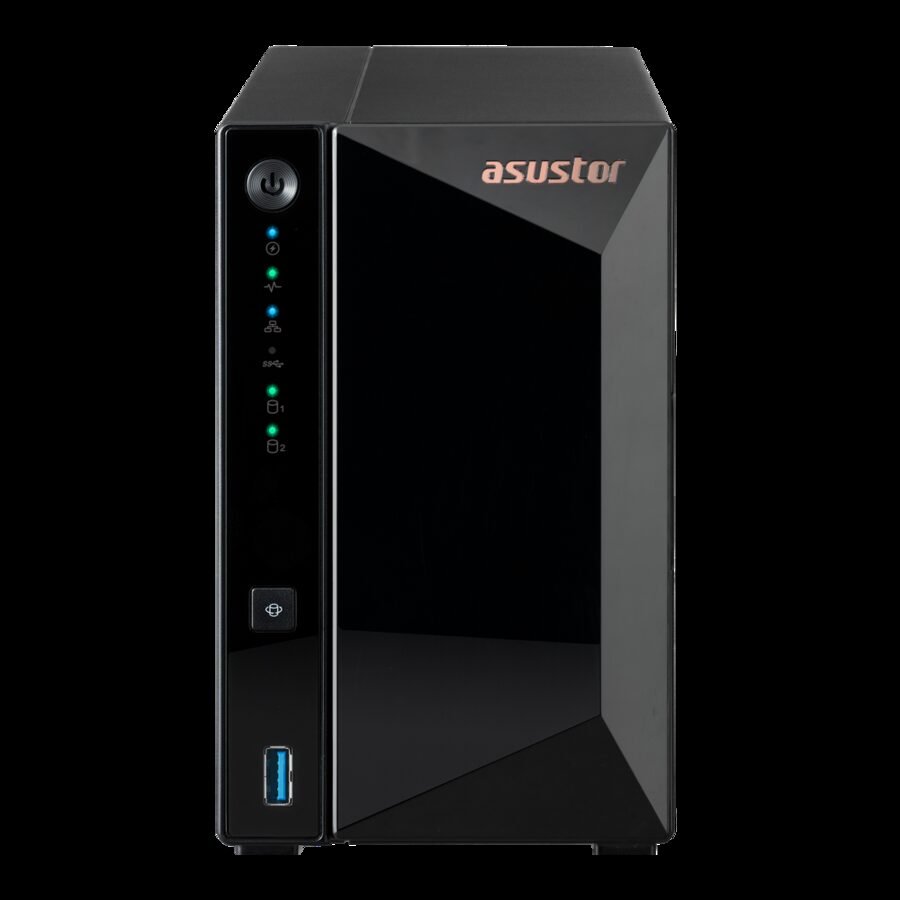
- Bays: 2
- CPU: Realtek RTD1619B quad-core 1.7GHz
- RAM: 2GB DDR4
- Network: 1 x 2.5GbE
- USB: 3 x USB-A 3.2 Gen 1
- OS: ADM (Asustor Data Master)
The Asustor Drivestor 2 Pro Gen2 is the budget pick for users who specifically want 2.5GbE networking without paying the UGREEN or TerraMaster premium. It uses the same Realtek RTD1619B ARM processor as the Synology DS223 but adds a 2.5GbE port and is typically priced below the DS223.
Asustor’s ADM operating system is solid and underrated. The app ecosystem includes Plex Media Server, Kodi, and active community packages. ADM is more approachable than QNAP QTS for beginners while offering more flexibility than some assume. Asustor is also the first NAS manufacturer to ship Btrfs support on ARM — useful for snapshot-based data protection.
Real-world network throughput to a 2.5GbE-equipped router or switch will be noticeably faster than on gigabit units, particularly for large file copies over the LAN.
What About the Drives?
The enclosures above don’t include hard drives. For most home NAS builds, we recommend:
- 2-bay home NAS: 2x Seagate IronWolf (same capacity) in RAID 1, or 2x WD Red Plus
- 4-bay home NAS: 4x Seagate IronWolf or WD Red Plus in RAID 5/SHR
- High-capacity or always-busy NAS: Seagate IronWolf Pro
See our full Best NAS Hard Drive in 2026 guide for detailed recommendations, workload matching, and per-drive analysis.
Frequently Asked Questions
NAS vs external hard drive — which do I need?
A NAS is a small networked server that shares storage across all your devices simultaneously, runs RAID for redundancy, and works even when your computer is off. An external drive connects to one computer at a time and is simpler and cheaper. If you want shared storage for the whole house, automatic backups from multiple devices, or a home media server, get a NAS. If you just want to back up one computer, an external drive is all you need.
Do I need a NAS if I already use cloud storage?
Not necessarily, but many users find a NAS cheaper long-term. A 4TB cloud storage plan costs significantly more per year than buying a 2-bay NAS and two drives once. A NAS also works on your local network without consuming internet bandwidth — critical for backing up large photo or video libraries.
Can a home NAS run Plex?
Yes, but the CPU matters. ARM-based NAS units (DS223, Asustor Gen2) can serve media to devices that support direct play, but struggle with transcoding. Intel-based units (DS423+, UGREEN DXP2800, TerraMaster F2-424) handle transcoding far better. If you have a modern smart TV, Apple TV, or Roku that can direct-play common video formats, an ARM NAS will work fine.
How many drives do I need?
A 2-bay NAS in RAID 1 (mirroring) gives you redundancy: if one drive fails, your data is safe on the second. This is the minimum recommended setup for a NAS holding important data. A 4-bay unit in RAID 5 or Synology SHR gives you better storage efficiency and can survive one drive failure.
Is Synology DSM really that much better than QNAP QTS?
For most home users, yes. Synology DSM is more polished, better documented, and has a larger community of home users. QNAP QTS offers more advanced networking and virtualization features but has a steeper learning curve and has had more firmware security issues. If you’re new to NAS, start with Synology.
Can I expand a NAS later by adding more drives?
It depends on the NAS and the RAID type. Synology SHR and TRAID support online expansion with drives of different sizes. Standard RAID 5/6 arrays require all drives to be the same capacity at build time but can be migrated. A 2-bay NAS can’t become a 4-bay unit — if growth is likely, buy a 4-bay NAS upfront.
What is Docker on a NAS used for?
Docker lets you run containerized applications on your NAS without a separate server. Common home uses include Portainer (container management), Home Assistant (home automation), Pi-hole (network-wide ad blocking), and Nextcloud (self-hosted cloud storage). The Intel CPU units on this list handle Docker workloads far better than ARM units.
Related Reads
- Best NAS Hard Drive in 2026 — required reading before buying drives for any of these enclosures
- Best External Hard Drive in 2026 — if a NAS is more than you need
- NVMe vs SATA SSD — Does It Matter for NAS Caching?
- TLC vs QLC NAND for NAS SSD Caching