TLC vs QLC NAND: What It Means for Your SSD’s Speed and Lifespan
TL;DR — Quick Answer
TLC NAND is better for most people — higher sustained write speeds and longer lifespan. QLC is fine for read-heavy workloads like media libraries and backup drives where you rarely write large amounts of data. QLC is not “bad” NAND — it’s the wrong NAND when your workload demands sustained writes or you expect the drive to last a decade under heavy use.
Quick Comparison
| NAND Type | Bits/Cell | Typical TBW (1TB) | Sustained Write Speed | Best For |
|---|---|---|---|---|
| TLC (Triple-Level Cell) | 3 | 300–1,275 TBW | Fast (hundreds of MB/s) | OS drives, gaming, workstations, NAS |
| QLC (Quad-Level Cell) | 4 | 100–300 TBW | Slow after cache exhaustion (50–150 MB/s) | Cold storage, media libraries, backup targets |
How NAND Stores Data — the 30-Second Version
Every NAND cell is a tiny floating-gate transistor that stores charge. The amount of charge determines what data the cell represents.
SLC (Single-Level Cell): two charge states (0 or 1). One bit per cell. Extremely fast and durable, but expensive — mostly used in enterprise and as cache emulation.
MLC (Multi-Level Cell): four charge states, two bits per cell. The foundation of early consumer SSDs.
TLC (Triple-Level Cell): eight charge states, three bits per cell.
QLC (Quad-Level Cell): sixteen charge states, four bits per cell.
The pattern is simple: more bits per cell means more storage per wafer, which means lower cost per gigabyte. It also means the controller has to distinguish between 16 voltage levels instead of 8, 4, or 2 — which is physically harder to do reliably, slower to execute, and causes more wear per operation.
This is not just a theoretical concern. The difference shows up in two concrete ways: write performance after SLC cache exhaustion, and endurance (TBW ratings).
What is TLC NAND?
TLC — Triple-Level Cell — stores three bits of data per cell by using eight distinct charge levels. Modern TLC is the dominant NAND type in consumer SSDs: the WD Black SN850X, Samsung 990 Pro, Seagate FireCuda 530, and every PCIe Gen 5 drive in our best Gen 5 SSD roundup use TLC.
TLC offers a practical balance between cost, speed, and durability:
- Sustained write speeds in the hundreds of MB/s range after SLC cache exhaustion (varies by drive — a high-quality TLC drive with good cache management might sustain 1,500+ MB/s; a budget TLC drive might drop to 300–500 MB/s)
- Program/erase cycles typically 1,000–3,000 per cell
- TBW ratings for consumer 1TB TLC drives typically range from 300 TBW (budget) to 1,275 TBW (Seagate FireCuda 530)
TLC is also what manufacturers use for their SLC write cache: a portion of TLC cells is configured to store only one bit per cell temporarily (called pseudo-SLC mode). This makes the drive appear very fast for bursts, then reverts to native TLC speeds when the cache fills.
What is QLC NAND?
QLC — Quad-Level Cell — stores four bits per cell using sixteen charge levels. QLC exists because NAND manufacturers can put 33% more bits per wafer than TLC, pushing down cost per gigabyte further.
The trade-off is significant:
- Program/erase cycles typically around 1,000 per cell — roughly the same as enterprise-grade TLC, but consumer drives write more aggressively
- Native write speeds (without SLC cache) are slow — often 50–150 MB/s for raw QLC writes
- SLC cache requirement is essentially mandatory for QLC drives to feel responsive; manufacturers provision large SLC cache pools to hide native QLC speeds
- TBW ratings are lower than comparable TLC drives — a 1TB QLC drive might be rated 100–300 TBW vs 300–1,275 TBW for TLC
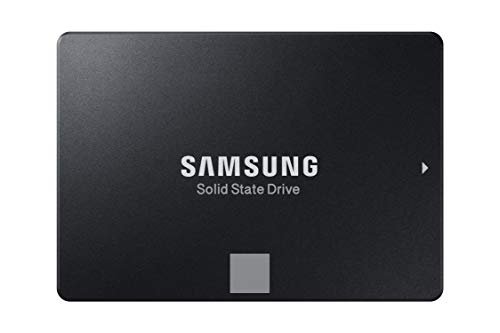
QLC drives commonly found in consumer storage include the Samsung 870 QVO (SATA), WD Blue QN750, and various budget drives often sold without NAND type prominently disclosed.
The Write Cliff: What Really Changes
This is the part that surprises buyers who see a QLC drive benchmark at impressive speeds and assume it will always perform that way.
All modern SSDs use SLC caching to accelerate writes. A portion of the NAND cells is configured to operate as pseudo-SLC — storing one bit per cell instead of three or four. Writes to this cache are fast (typically 1–3 GB/s on a decent NVMe drive). Once the cache fills, the controller must write directly to TLC or QLC cells, and the speed drops sharply.
For TLC drives: After cache exhaustion, sustained write speeds typically drop to 300–1,500 MB/s depending on the drive, controller, and cache management quality. A quality TLC drive with good firmware will sustain reasonable speeds throughout.
For QLC drives: After cache exhaustion, writes fall to native QLC speeds — often 50–150 MB/s. This can be dramatic: a QLC drive that benchmarks at 3,000 MB/s in sequential write can drop to 80 MB/s when you’re copying a 100 GB folder. The drive is not broken — it’s just hit its write cliff.
Endurance and TBW
TBW — Terabytes Written — is the manufacturer’s warranty threshold for write endurance. It’s based on NAND program/erase cycle ratings extrapolated across the drive’s cells.
Typical TBW ratings:
- Budget QLC 1TB SATA SSD: 100–200 TBW
- Mid-range QLC 1TB NVMe: 150–300 TBW
- Budget TLC 1TB NVMe: 300–600 TBW
- Mid-range TLC 1TB NVMe (WD SN850X, Samsung 990 Pro): 600 TBW
- High-endurance TLC 1TB NVMe (Seagate FireCuda 530): 1,275 TBW
- PCIe Gen 5 TLC 1TB (SN8100, FireCuda 540): 600–1,000 TBW
To put these numbers in context: A typical desktop user writes 20–50 GB per day. At 50 GB/day, reaching 600 TBW takes 33 years. The TBW rating is almost never the limiting factor for home users.
For heavy workloads — NAS drives with constant writes, video capture targets, database servers — TBW matters more. A 200 TBW QLC NAS SSD under constant 100 GB/day write load lasts under six years. A 1,275 TBW TLC drive under the same load lasts over 35 years.
When QLC is Fine
QLC is not the wrong choice for every use case. It genuinely makes sense in these scenarios:
Cold storage and media libraries. If you’re storing a movie collection, photo archive, or rarely-accessed data, the write cliff never comes into play. You wrote the data once; now you read it. QLC’s lower cost per GB means more capacity for less money, which is the right trade-off.
Backup drives. Secondary backups — especially offline ones you write to monthly — are ideal QLC territory. The write volume is low, the data density value is high.
OS drive for a read-heavy user. A laptop used primarily for web browsing, document work, and light productivity typically writes less than 10 GB per day. A QLC OS drive will feel fast (SLC cache keeps it responsive) and will last the machine’s lifetime without reaching its TBW ceiling.
Any scenario where you consistently write less than the SLC cache size. If your daily writes rarely exceed the cache threshold (usually 10–50 GB on modern QLC drives), you’ll never encounter the speed cliff.
When to Avoid QLC
Primary drive for content creation. If you ingest raw video, render exports to local storage, or work with large project files regularly, QLC’s write cliff will slow your workflow. Use TLC.
NAS drives with regular write workloads. Many NAS-marketed QLC SSDs look impressive on spec sheets but struggle under sustained writes. For NAS primary storage with active workloads, TLC drives with high TBW ratings are the right choice.
Gaming drive if you reinstall games frequently. Each reinstall writes tens of gigabytes. If you cycle through your game library constantly, TLC endurance pays off over years of use.
Any use case where the drive is also the only copy of the data. QLC drives do not fail catastrophically at their TBW limit — they typically fail a SMART attribute threshold and the drive continues working for a while. But the lower P/E cycle count means a shorter theoretical ceiling, and if you’re running a single-drive system with no backup, higher endurance has value.
Is QLC NAND Bad?
No — “bad” isn’t the right word. QLC is a deliberate engineering trade-off: more capacity per wafer, lower cost per GB, in exchange for lower sustained write speed and lower endurance per cell. It’s the correct choice for read-heavy applications. It’s the wrong choice for write-intensive workloads.
The frustrating reality is that NAND type is often not disclosed prominently at point of sale. Many budget drives sold as “NVMe SSD” use QLC without saying so, and they benchmark impressively because the SLC cache masks the native speed. The tell is the benchmark behavior: does the drive sustain high speeds through a 50+ GB sequential write test, or does it crater partway through?
If you’re buying storage and a specific use case matters to you — check the NAND type. For anything beyond a cold storage or backup role, TLC is worth the modest price premium.
Bottom Line
- TLC for primary drives, workstations, NAS with write workloads, gaming drives you reinstall to frequently
- QLC for cold storage, media libraries, backup targets, read-heavy secondary storage
- The write cliff is real — QLC can drop from 3,000 MB/s to under 100 MB/s after the SLC cache fills
- TBW numbers are rarely the limiting factor for home users — both TLC and QLC will outlast most use cases
- When in doubt, buy TLC — the price difference is smaller than it used to be, and you get sustained performance without surprises
Frequently Asked Questions
What does TLC stand for in SSD terms?
TLC stands for Triple-Level Cell — meaning each NAND cell stores three bits of data by using eight different voltage levels. It’s the most common NAND type in consumer NVMe SSDs today.
Is QLC slower than TLC?
QLC is slower after its SLC write cache runs out. While the cache is absorbing writes, QLC drives can feel just as fast as TLC. Once the cache fills — typically after 10–50 GB of continuous writes — QLC drops to native speeds of 50–150 MB/s, while TLC typically sustains several hundred MB/s or more.
How can I tell if my SSD uses TLC or QLC?
Check the manufacturer’s product page — it should list the NAND type in the specifications. Alternatively, check the CrystalDiskInfo software; it sometimes reports NAND type. If the specification says “NAND: 3D NAND” without further detail, look up the specific model on TechPowerUp’s SSD database for the full breakdown.
Does QLC NAND wear out faster?
Per cell, yes — QLC typically has around 1,000 program/erase cycles vs 1,000–3,000 for TLC. However, modern drives spread writes across all cells (wear leveling), so real-world lifespan depends on drive capacity, overprovisioning, and your actual write volume. Most home users will never approach TBW limits on either type.
Are there any PCIe Gen 5 SSDs with QLC NAND?
Not among the top consumer options as of mid-2026. All the major Gen 5 drives — WD SN8100, Seagate FireCuda 540, Corsair MP700 Pro SE, Sabrent Rocket 5 — use TLC NAND. QLC Gen 5 drives may appear in budget tiers eventually, but the current crop is all TLC.
Should I avoid QLC NAND completely?
No. If you’re buying a large-capacity secondary drive for cold storage, media archives, or backups, QLC’s lower cost per gigabyte is a real advantage with no meaningful penalty — you’re not hitting the write cliff in those use cases.
What is SLC caching and does it help QLC drives?
SLC caching temporarily programs a portion of NAND cells to store only one bit instead of three or four, which is much faster. Both TLC and QLC drives use SLC caching to boost write performance. The difference is what happens when the cache fills: TLC’s native speed is acceptable for sustained use; QLC’s native speed is not. SLC caching helps QLC drives feel fast in short bursts but doesn’t fix the underlying native write performance.