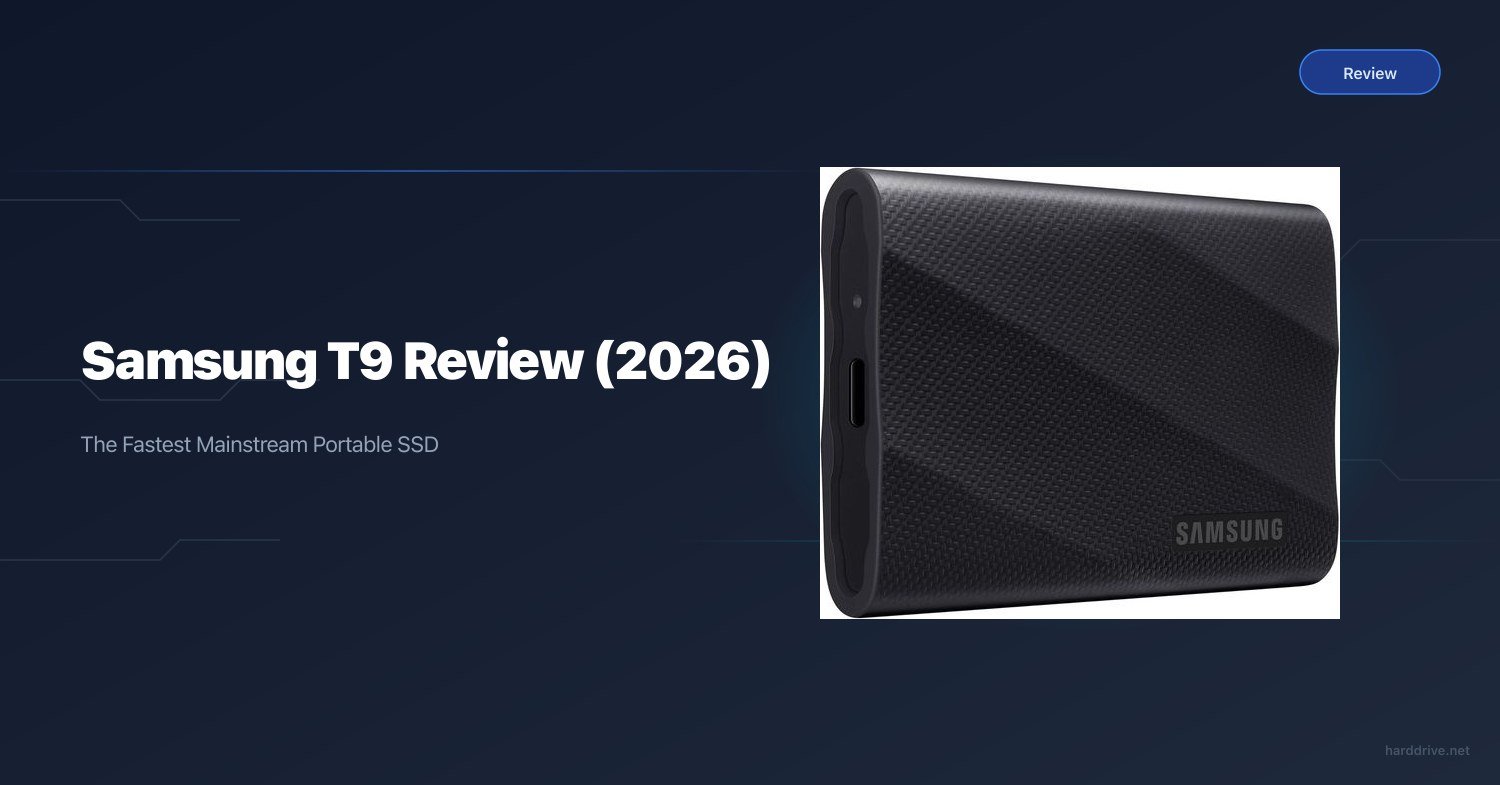
Samsung T9 Review (2026): The Fastest Mainstream Portable SSD
TL;DR — Quick Answer
The Samsung T9 is the best external SSD for most people. Its USB 3.2 Gen 2×2 interface delivers real-world transfer speeds that are roughly double the competition, and it backs that up with a durable rubberised shell, 3-metre drop resistance, and compatibility with every major platform. The catch: you need a 20Gbps USB-C port to see those speeds — and it has no IP water-resistance rating.
Who the Samsung T9 Is For
The Samsung T9 is the right drive if you match most of these:
- You have a modern laptop, desktop, or console with a USB-C port that supports USB 3.2 Gen 2×2 (20Gbps)
- You regularly transfer large files — RAW photos, 4K or higher video, large game installs
- You want a drive fast enough to edit directly from, not just store files on
- You work primarily at a desk or in a studio — not in rain, dust, or near water
- You want a single portable drive that works across Mac, PC, PS5, and Xbox
The T9 is the wrong drive if:
- Your machine has a USB 3.2 Gen 2 (10Gbps) port only — you’ll pay more for speed you can’t use
- You need water or dust resistance — there’s no IP rating on this drive
- You need 4TB at the lowest possible price — at 2026 NAND prices, the T9’s premium is meaningful
Full Specifications
| Spec | Detail |
|---|---|
| Capacity options | 1TB, 2TB, 4TB |
| Interface | USB 3.2 Gen 2×2 (20Gbps), USB-C |
| Sequential read | Up to 2,000 MB/s |
| Sequential write | Up to 2,000 MB/s |
| NAND type | Samsung V-NAND |
| Connector | USB Type-C |
| Compatibility | PC, Mac, PS5, Xbox Series X|S, iPad Pro (USB-C) |
| Drop resistance | Up to 3 metres |
| IP rating | None |
| Dimensions | 88.2 × 52.8 × 13.5 mm |
| Weight | ~88g |
| Warranty | 3 years |
| Included | USB-C to C cable, USB-C to A adapter |
| Model numbers | 1TB: MU-PG1T0B/AM · 2TB: MU-PG2T0B/AM · 4TB: MU-PG4T0B/AM |
Performance
Sequential speeds
The T9 uses USB 3.2 Gen 2×2, which provides 20Gbps of bandwidth — exactly double the 10Gbps ceiling on most competing drives. In practice, StorageReview’s testing puts the T9 at around 1,566 MB/s sustained sequential reads and 1,581 MB/s sequential writes, consistently across full-drive transfers. Peak numbers touch 2,000 MB/s in short bursts.
For comparison: the Samsung T7 Shield, SanDisk Extreme Portable V2, and Crucial X9 Pro all top out around 890–950 MB/s sustained on their 10Gbps interfaces. The T9 is roughly 70–75% faster in real-world sustained transfers.
What that speed means practically
Moving a 100GB folder of 4K video files:
- On a 10Gbps drive: approximately 110 seconds
- On the Samsung T9: approximately 65 seconds
At 2TB capacities with large media libraries, that time savings adds up across a working day. For photographers ingesting 100+ RAW files from a shoot, or editors pulling project files before a deadline, the T9 genuinely changes the experience.
Editing directly from the drive
The T9 sustains performance well enough to run Lightroom Classic catalogues and Premiere Pro projects directly from the drive without noticeable lag. The key metric is random read performance, which hovers around 20–30K IOPS — adequate for most editing workloads. For intensive 6K or 8K RAW timelines, you’ll feel the ceiling sooner than on a Thunderbolt drive; for 4K ProRes or compressed formats, the T9 handles it without issue.
Throttling
Thermal throttling under sustained load is present but modest. After approximately 15–20 minutes of continuous large-file writes, speeds dip to around 1,300–1,400 MB/s before stabilising. This is not a concern for typical photography or video workflows but would affect extremely long bulk transfers.
Build Quality and Durability
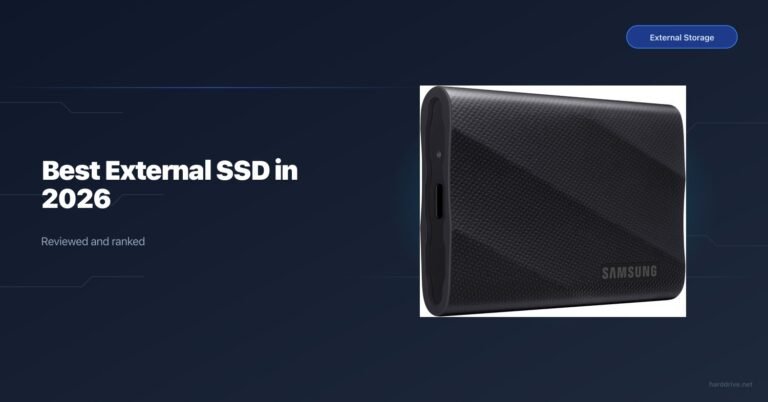
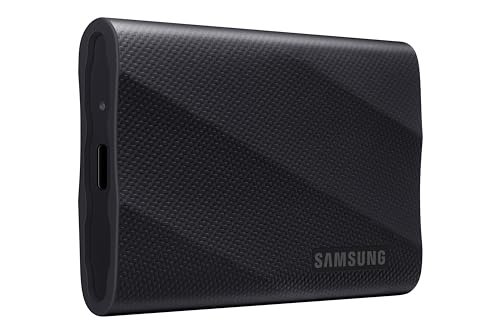
The T9 is wrapped in a two-tone rubberised shell — a harder inner plastic frame with a softer rubber outer layer. Samsung rates it to 3 metres drop resistance, which is a solid spec. The feel in hand is confidence-inspiring: the rubber surface grips well and the drive doesn’t feel hollow or cheap.
At 88g, it’s light enough to pocket and dense enough to feel like quality hardware. The USB-C port is reinforced and flush with the body — no exposed connector neck to snap off.
The one significant limitation is the absence of any IP rating. There is no dust seal and no water resistance beyond what the rubber bumpers incidentally provide. This is a drive for controlled environments. If you need to use it outdoors in rain, on a beach, or near water, look at the SanDisk Extreme V2, Samsung T7 Shield, or CalDigit Tuff Nano+ instead. See our full best rugged external SSD guide.
The 3-year warranty is functional but shorter than the 5-year offered by SanDisk, Crucial, and WD on competing drives at similar price points. That’s a real drawback worth noting.
Software: Samsung Portable SSD App
Samsung’s Portable SSD app is available for Windows and macOS and adds:
- AES 256-bit hardware encryption with password protection
- Security Mode for data access control
- Drive health monitoring — firmware version, usage statistics
- Firmware update delivery
The app is optional — the drive works without it, formatted exFAT out of the box for cross-platform compatibility. If you need to encrypt sensitive data on the drive, the Samsung app implements it well. It’s cleaner than most bundled software and doesn’t push unnecessary features.
Mac users should note: the app requires a separate macOS download and doesn’t install via the Mac App Store. It works correctly on Apple Silicon.
Head-to-Head: T9 vs T7 Shield vs SanDisk Extreme V2
| Drive | Interface | Max read | Sustained read | Rugged rating | Drop resistance | Warranty |
|---|---|---|---|---|---|---|
| Samsung T9 | USB 3.2 Gen 2×2 (20Gbps) | 2,000 MB/s | ~1,550 MB/s | None | 3m | 3 years |
| Samsung T7 Shield | USB 3.2 Gen 2 (10Gbps) | 1,050 MB/s | ~940 MB/s | IP65 | 3m | 3 years |
| SanDisk Extreme V2 | USB 3.2 Gen 2 (10Gbps) | 1,050 MB/s | ~880 MB/s | IP55 | 2m | 5 years |
The T9 wins on speed — it’s not close. If you have a 20Gbps port and transfer large files regularly, the T9 is the clear choice.
The T7 Shield wins on ruggedness among the three — IP65 rating, 3-metre drop resistance, tactile rubber grip — while matching the T9’s drop spec at a lower price and with identical rugged credentials to the LaCie Rugged line for everyday field use.
The SanDisk Extreme V2 wins on warranty — 5 years vs 3 years for both Samsung drives — and adds a carabiner loop. For travel photographers who need durability more than peak speed, it remains a smart choice.
The bottom line: if speed is the primary consideration and you have the right port, the T9 is the pick. If you need ruggedness, go T7 Shield. If you want the longest warranty at a competitive price, go SanDisk Extreme V2.
Value: Is the Samsung T9 Worth It?
The T9 costs more than its 10Gbps competition. In early 2026, with flash storage prices elevated due to AI-related NAND demand, that premium is more noticeable than it was in 2024. The question is whether the speed is worth paying for.
If your machine supports USB 3.2 Gen 2×2 (20Gbps): yes, the T9 is worth the premium. The speed difference is real and meaningful for any workflow involving large file transfers.
If your machine is limited to USB 3.2 Gen 2 (10Gbps): no. Save the money. The T9 will perform identically to a Crucial X9 Pro or WD My Passport SSD on those ports, at a higher price.
Check your laptop specifications before buying. On Apple Silicon Macs: M1 and M2 Macs do not support USB 3.2 Gen 2×2; M3 Pro/Max and M4 and later Macs do via the Thunderbolt/USB 4 ports. On Windows laptops, look for “USB 3.2 Gen 2×2” or “20Gbps USB” in the specification sheet.
Verdict
The Samsung T9 is the best portable SSD for most people, with the important caveat that “most people” means people with a 20Gbps USB-C port. On compatible hardware, it delivers transfer speeds that are genuinely transformative compared to the prior generation of 10Gbps drives — not a marginal gain, a real doubling of throughput. The build quality is solid, the software is competent, and Samsung’s brand reliability makes it a sensible long-term purchase.
The 3-year warranty and absence of any IP rating are the two genuine weaknesses. If either matters to your use case, the T7 Shield addresses ruggedness and the SanDisk Extreme V2 addresses warranty length.
Our recommendation: Buy the 2TB T9 if you have a 20Gbps port and frequently transfer large files. It’s the best external SSD in its class. If you have a 10Gbps port only, the Crucial X9 Pro 2TB gives you equivalent real-world performance for less money.
Frequently Asked Questions
Does the Samsung T9 work with older USB-A ports?
Yes. The T9 includes a USB-C to USB-A adapter in the box. On a USB-A (USB 3.0 / USB 3.1) port, speeds will be limited to 5Gbps — you’ll see around 400–500 MB/s in practice. The full 2,000 MB/s speed requires a USB 3.2 Gen 2×2 capable USB-C port.
Is the Samsung T9 compatible with PS5 and Xbox Series X?
Yes. Samsung officially lists PS5 and Xbox Series X|S as compatible. Connect via USB-C cable. On PS5, it functions as extended storage for PS4 games or as a general USB device for other files. For PS5 native game storage in the internal expansion slot, you need an M.2 NVMe SSD, not a portable external drive.
Does the Samsung T9 have a water-resistance rating?
No. The T9 has no IP rating. The rubberised shell and 3-metre drop resistance protect against physical shock, not moisture. If you need water resistance, look at the Samsung T7 Shield (IP65), SanDisk Extreme V2 (IP55), or CalDigit Tuff Nano+ (IP67). See our best rugged external SSD guide.
How does the Samsung T9 compare to the T7 and T7 Shield?
The T9 is significantly faster (2,000 MB/s vs 1,050 MB/s peak) due to its USB 3.2 Gen 2×2 interface. The T7 Shield adds IP65 and a rubberised rugged shell at a lower price point. The original T7 is discontinued in many markets. If speed is the priority, T9. If ruggedness and IP rating matter, T7 Shield.
What’s the best way to format the Samsung T9 for Mac?
The T9 ships as exFAT, which is compatible with both Mac and PC. For Mac-only use, reformatting to APFS in Disk Utility gives better performance with Apple Silicon Macs and enables Time Machine compatibility. For cross-platform use between Mac and Windows, leave it as exFAT.
How long is the Samsung T9 warranty?
3 years from date of purchase. Note that SanDisk, Crucial, and WD offer 5-year warranties on competing drives. Samsung’s 3-year warranty is the shortest of any major brand portable SSD at this price tier — it’s a genuine tradeoff worth considering.
Will the Samsung T9 work with iPad Pro?
Yes, on iPad Pro and iPad Air models with a USB-C or Thunderbolt port. Use the included USB-C to C cable. The Files app on iPadOS handles the drive natively. However, the iPad’s USB-C port on most current models supports USB 3.2 Gen 2 (10Gbps), not Gen 2×2, so you will not see the full 2,000 MB/s — expect around 900–1,000 MB/s.
Related Reads
- Best External SSD in 2026 — how the T9 compares to all options
- Best Rugged External SSD in 2026 — if you need water and drop protection
- Best External SSD for Mac — Mac-specific recommendations including Thunderbolt options
- Best SSD for Video Editing — drive picks for video production workflows
- Best External SSD for Console — PS5 and Xbox compatibility guide