Best NAS Hard Drive in 2026
TL;DR — Quick Answer
The Seagate IronWolf Pro is the top pick for most NAS builds — up to 30TB, 550TB/year workload rating, and TLER built in. For smaller home NAS rigs on a budget, the WD Red Plus covers 1–14TB at a lower price. Anyone doing casual home backups who buys a desktop drive instead will eventually regret it.
| Product | Key Spec | Capacity | Best For | Buy |
|---|---|---|---|---|
| Seagate IronWolf Pro | 7200 RPM, 550 TB/yr, CMR, 5yr warranty | 4TB–30TB | High-workload, 1–24 bay NAS | Amazon |
| WD Red Pro | 7200 RPM, 300–550 TB/yr, CMR, 5yr warranty | 6TB–26TB | 1–24 bay prosumer NAS | Amazon |
| Seagate IronWolf | 5400–7200 RPM, 180 TB/yr, CMR, 3yr warranty | 1TB–20TB | 1–8 bay home NAS | Amazon |
| WD Red Plus | 5400–7200 RPM, 180 TB/yr, CMR, 3yr warranty | 1TB–14TB | 1–8 bay home NAS | Amazon |
| Toshiba N300 | 7200 RPM, 180 TB/yr, CMR, 3yr warranty | 4TB–18TB | 1–8 bay home/prosumer NAS | Amazon |
| WD Gold | 7200 RPM, 550 TB/yr, CMR, 5yr warranty | 1TB–26TB | Enterprise NAS, data centers | Amazon |
How We Picked
- CMR only. SMR (Shingled Magnetic Recording) drives cause performance degradation during RAID rebuilds and are not suitable for NAS use. Every drive on this list uses CMR.
- TLER support. Time Limited Error Recovery caps the time a drive spends attempting to recover a bad sector, preventing RAID controllers from dropping the drive. All picks support TLER.
- Workload rating. Manufacturers publish an annual TB/year figure. We matched each drive to realistic home and prosumer workloads rather than picking the highest number blindly.
- Vibration compensation. Multi-bay NAS enclosures vibrate. Drives with rotational vibration (RV) sensors compensate in real time; all picks include them.
- Warranty. NAS drives spin 24/7. Anything less than a 3-year warranty is a red flag; we prefer 5 years at the prosumer tier.
- Price-to-capacity value. We only recommend drives where the per-TB cost is competitive for their tier.
Do I Need a NAS-Rated Drive?
Yes. NAS drives are built with firmware that handles always-on, multi-drive operation — desktop drives do not have TLER, which means a RAID controller can drop them during a normal error recovery cycle, silently destroying your array. That alone makes the price premium worth it.
Seagate IronWolf Pro — Best Overall NAS Drive
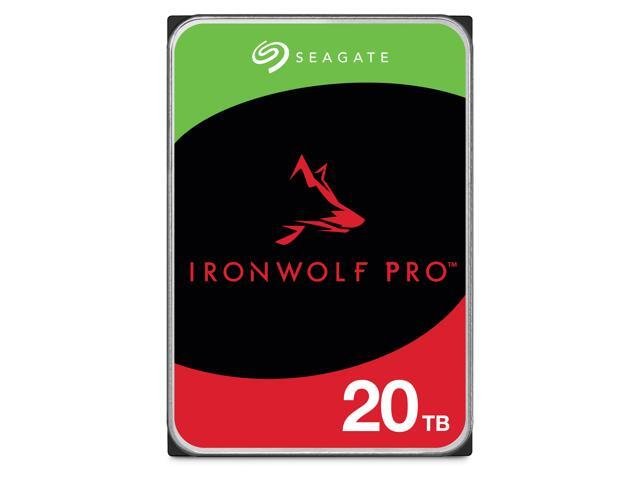
- Capacity options: 4TB–30TB
- RPM: 7200
- Cache: 256MB (4–8TB), 512MB (10TB+)
- Workload rating: 550 TB/year
- Warranty: 5 years + 3 years Rescue Data Recovery Services
- Recording type: CMR
The IronWolf Pro is the benchmark NAS drive for 2026. The 30TB model, released earlier this year, uses HAMR (Heat-Assisted Magnetic Recording) with 10 helium-sealed platters to hit the highest capacity available in a 3.5-inch SATA form factor. For anyone building or expanding a Synology, QNAP, or TrueNAS system that runs around the clock, this is the drive to buy.
The 550TB/year workload rating means the drive is spec’d for continuous heavy use across all of its capacity. Seagate’s AgileArray firmware manages power balance across multiple drives in a chassis and the integrated IronWolf Health Management system reports drive status inside compatible NAS software so you can catch problems before they become failures.
The bundled Rescue Data Recovery Services (3 years included) are worth noting — Seagate will attempt data recovery on a physically failed drive, which is a genuine differentiator for home users who don’t maintain off-site backups.
WD Red Pro — Best for Prosumer NAS Builds
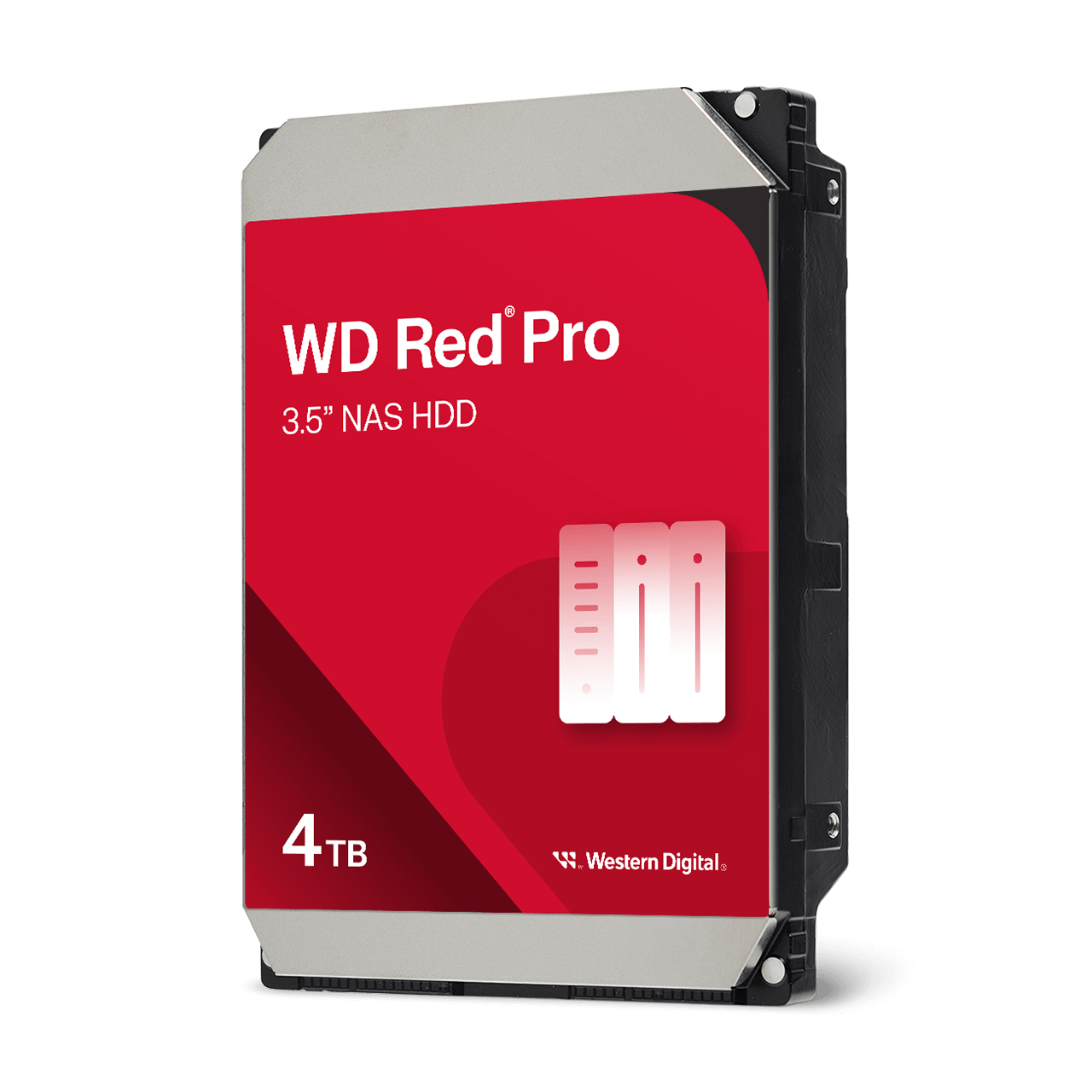
- Capacity options: 6TB–26TB
- RPM: 7200
- Cache: 512MB
- Workload rating: 300 TB/yr (most models), 550 TB/yr (20TB+)
- Warranty: 5 years
- Recording type: CMR
The WD Red Pro sits just below the IronWolf Pro in the NAS drive hierarchy and is WD’s answer to prosumer NAS users who want enterprise-grade reliability without a full enterprise price. The 26TB cap is competitive, and WD’s HelioSeal helium technology keeps temperatures low and power consumption reasonable on the larger platters.
WD’s multi-axis vibration compensation is a genuine strength here. In real-world testing with 8-bay enclosures, WD Red Pro drives maintain consistent throughput even when neighboring bays are actively reading and writing simultaneously — something that matters when you have a Plex server, a backup job, and a sync task all running at once.
The 5-year warranty matches the IronWolf Pro and the price per TB is generally within a few dollars of Seagate’s equivalent capacity point, so the choice between them often comes down to ecosystem — Synology users who trust WD drives and want the WD My Cloud ecosystem will gravitate here.
Seagate IronWolf — Best Value for Home NAS

- Capacity options: 1TB–20TB
- RPM: 5400–7200 (5400 on smaller models, 7200 on 8TB+)
- Cache: 64MB–256MB
- Workload rating: 180 TB/year
- Warranty: 3 years
- Recording type: CMR
The standard IronWolf is the go-to recommendation for anyone building a home NAS with a Synology DS223 or a 4-bay unit running Plex or Time Machine backups. At 180TB/year, the workload rating comfortably covers typical home-lab workloads — streaming a few 4K files simultaneously, nightly backups from three computers, and occasional large file moves won’t touch that ceiling.
The IronWolf also supports Seagate’s IronWolf Health Management firmware, which is compatible with most Synology and QNAP enclosures and gives you in-app drive health alerts. For a home user who doesn’t want to babysit their NAS, this is the feature that makes the IronWolf a smarter buy than a generic desktop drive.
For a 2-bay home NAS, buy two of these in the same capacity and run them in RAID 1 — redundancy without complexity.
WD Red Plus — Best Budget NAS Drive
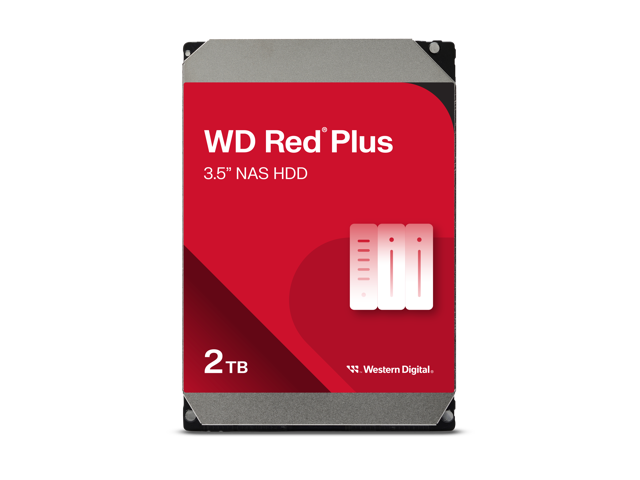
- Capacity options: 1TB–14TB
- RPM: 5400–5640 (smaller models); 7200 (8TB+)
- Cache: 64MB–512MB
- Workload rating: 180 TB/year
- Warranty: 3 years
- Recording type: CMR
The WD Red Plus is the budget-friendly NAS drive that WD cleaned up after the SMR scandal. Every current Red Plus model is CMR, and WD is transparent about this on the product page. If you’re building a first NAS and want a reliable CMR drive at a lower cost than the IronWolf Pro, the Red Plus is the correct choice.
Capacities top out at 14TB, which is the practical ceiling for most home users. Performance is solid — the 8TB and above models spin at 7200 RPM and deliver sequential reads competitive with the IronWolf at the same capacity point. For a basic 2–4 bay setup running Plex, Nextcloud, or Time Machine, you won’t notice a meaningful difference between a Red Plus and an IronWolf Pro.
Toshiba N300 — Best Alternative Brand Pick
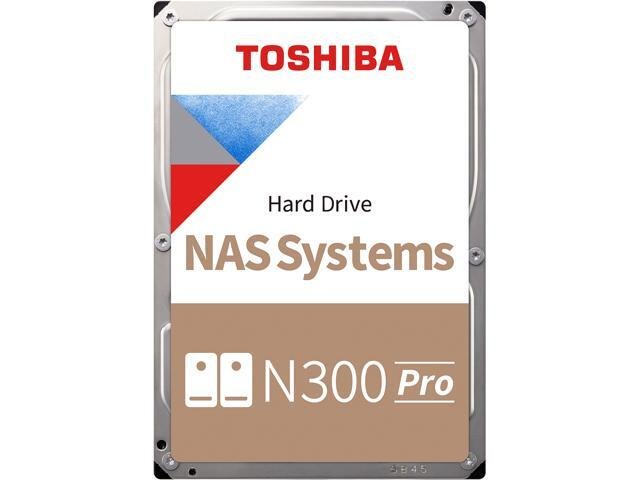
- Capacity options: 4TB–18TB
- RPM: 7200
- Cache: 256MB (smaller), 512MB (larger)
- Workload rating: 180 TB/year
- Warranty: 3 years
- Recording type: CMR
Toshiba’s N300 is the third major NAS drive lineup and it’s consistently underrated. All N300 drives run at 7200 RPM across the entire capacity range, which gives them a throughput edge over the lower-RPM IronWolf and Red Plus configurations. The rotational vibration compensation sensors and CMR recording make it genuinely NAS-suitable, not just relabeled desktop hardware.
The N300 fits 1–8 bay enclosures with a 180TB/yr workload rating — identical to the IronWolf and Red Plus — but at 7200 RPM across the board, it’s a better choice for users who need faster sequential performance at the lower capacity points (4–8TB) and don’t want to pay WD Red Pro prices for it.
Build quality is consistent and Toshiba’s failure rates in independent NAS reliability surveys (Backblaze publishes annual data) are competitive with WD and Seagate at the home-user capacity range.
WD Gold — Best for Enterprise-Adjacent Home Labs
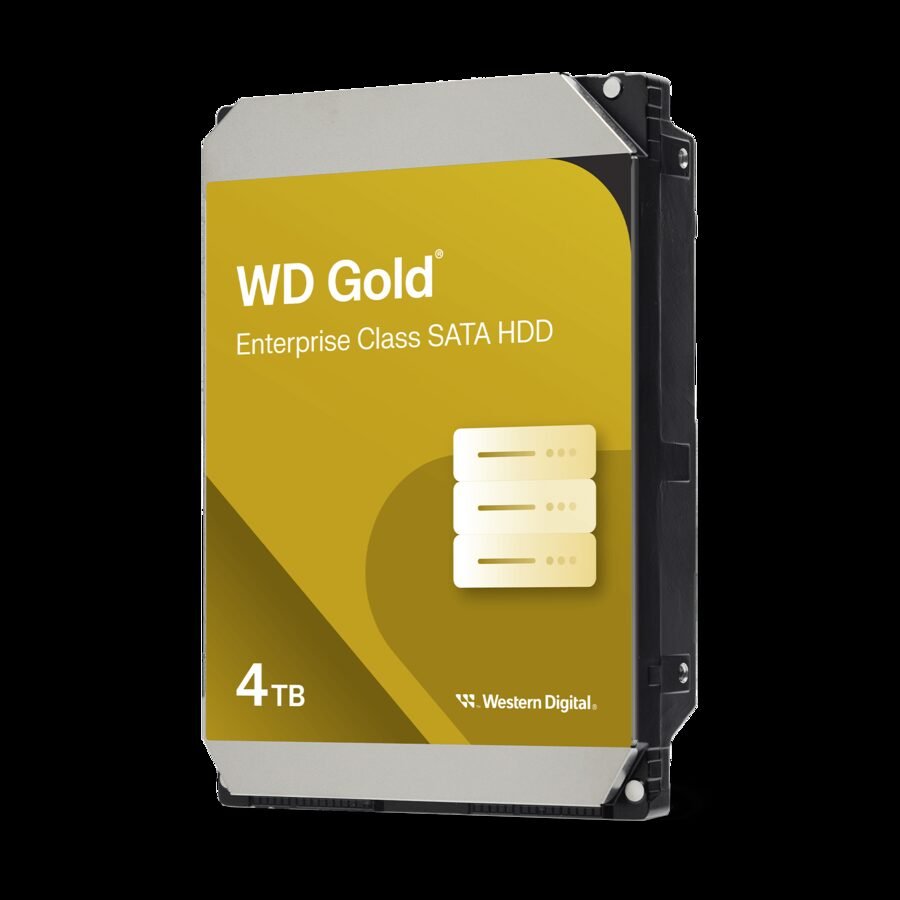
- Capacity options: 1TB–26TB
- RPM: 7200
- Cache: 128MB–512MB
- Workload rating: 550 TB/year
- Warranty: 5 years
- Recording type: CMR
The WD Gold is WD’s enterprise-class SATA drive and it’s a legitimate option for home lab builders who run TrueNAS, run multiple VMs, or use their NAS as a primary storage node for a small business. The 550TB/year workload rating and 2.5 million hour MTBF put it in the same tier as the IronWolf Pro on paper — and WD’s ArmorCache technology (on 22TB+ models) adds enterprise power-loss protection for write-cache-enabled configurations.
For most home users this is overkill. You’re paying an enterprise premium for specs that a home NAS will never stress. But for the home lab crowd running 24/7 ZFS arrays, Plex servers, and development environments simultaneously, the Gold is the drive that won’t become the weak link in the system.
Jargon Explained
CMR vs SMR: Conventional Magnetic Recording writes tracks side by side, like a book. Shingled Magnetic Recording overlaps tracks to fit more data, but rewrites are slow because the drive has to rewrite neighboring tracks too. For NAS and RAID use, always choose CMR.
TLER (Time Limited Error Recovery): When a drive hits a bad sector, it can spend a long time trying to recover it. RAID controllers have a timeout — if the drive doesn’t respond quickly enough, the controller assumes it failed and kicks it from the array. TLER caps the drive’s recovery attempt to a few seconds, keeping the RAID intact. Desktop drives don’t have TLER; NAS drives do.
Workload rating: Published in TB per year, this is the amount of data the manufacturer expects the drive to handle annually without accelerating wear. A home user streaming Plex and running nightly backups might push 10–30TB/year. A busy business file server might push 200TB/year. Match the rating to your actual use case.
Vibration compensation: In a multi-bay NAS, mechanical vibration from spinning drives can interfere with adjacent drives’ read/write heads. RV (Rotational Vibration) sensors detect this and correct head positioning in real time. All recommended drives include RV sensors.
Frequently Asked Questions
Do I need a NAS-rated drive, or can I use a desktop drive?
You need a NAS-rated drive. Desktop drives lack TLER firmware, which means a RAID controller can drop them from an array during a normal error recovery event — destroying your redundancy silently, often without any notification.
What is the difference between IronWolf and IronWolf Pro?
IronWolf is rated for 1–8 bay NAS enclosures with a 180TB/year workload limit and a 3-year warranty. IronWolf Pro supports 1–24 bays, carries a 550TB/year workload rating, and comes with a 5-year warranty plus 3-year Rescue Data Recovery Services. If you’re running a prosumer or always-busy home NAS, the Pro is worth the premium.
What is the difference between WD Red, WD Red Plus, and WD Red Pro?
WD Red (the original) is SMR and should be avoided for NAS use. WD Red Plus is CMR, rated for up to 8 bays and 180TB/year. WD Red Pro is CMR, rated for up to 24 bays with higher workload ratings and a 5-year warranty. For any new NAS build, choose Red Plus or Red Pro — never the plain Red.
How many TB/year do I actually use on a home NAS?
Most home users fall well under 50TB/year. Streaming a 4K Plex library to a couple of TVs, backing up two or three computers, and running a weekly rsync job might total 10–25TB/year. A 180TB/year rated drive gives you enormous headroom.
Can I mix drive brands in a NAS RAID array?
Technically yes, but it’s not recommended. Mixing brands or capacities in a RAID array can cause rebuild complications and may void array-level warranties. If you’re buying drives for a new build, buy identical models at the same time.
Is a 5400 RPM NAS drive slow?
For typical NAS workloads — file access, media streaming, backups — 5400 RPM is fast enough. You’ll see saturated gigabit ethernet performance from a 5400 RPM IronWolf or Red Plus. Only upgrade to 7200 RPM if your NAS has a 2.5GbE or 10GbE connection and you’re regularly doing large sequential transfers.
How long do NAS drives actually last?
Backblaze’s annual hard drive reliability report (the most comprehensive public dataset available) shows that most drives from major manufacturers survive 4–5+ years of continuous operation. Running a 24/7 NAS, expect to start seeing elevated failure rates around year 4–5. The 5-year warranty on pro-tier drives is timed accordingly.
Should I buy a refurbished NAS drive to save money?
No. NAS drives are always-on, wear-limited hardware. A refurbished drive with unknown prior spin hours is a liability in a RAID array where you depend on all drives surviving a rebuild together.
Related Reads
- Best Home NAS Enclosure in 2026 — the enclosures these drives belong in
- Best External Hard Drive in 2026 — for backups that don’t need to be in a NAS
- Best External SSD in 2026 — when speed matters more than cost per TB
- TLC vs QLC NAND — Does It Matter for NAS SSD Caching?