Best SD Card in 2026: Speed Class Decoder for Photographers and Videographers
TL;DR — Quick Answer
For most photographers and videographers shooting 4K, the Sony Tough G Series V90 is the best all-around SD card — fast, genuinely rugged, and backed by a lifetime of dependable write speeds. Budget-conscious shooters who don’t need V90 speeds should look at the ProGrade Digital V60. Skip SD entirely if your camera supports CFexpress Type B — you’ll never go back.
Quick Comparison
| Product | Interface | Speed | Best For | Buy |
|---|---|---|---|---|
| Sony Tough G Series V90 / UHS-II |
UHS-II | 300 MB/s read / 299 MB/s write | 8K/RAW cinema, harsh environments | Amazon |
| Lexar Professional 2000x V90 / UHS-II |
UHS-II | 300 MB/s read / 260 MB/s write | DSLR/mirrorless burst shooting | Amazon |
| SanDisk Extreme Pro SDXC V30 / UHS-I |
UHS-I | 250 MB/s read / 170 MB/s write | 4K video, everyday carry | Amazon |
| ProGrade Digital V60 V60 / UHS-II |
UHS-II | 250 MB/s read / 130 MB/s write | 4K high-bitrate, drones | Amazon |
| Angelbird AV Pro SD V60 MK II V60 / UHS-II |
UHS-II | 280 MB/s read / 160 MB/s write | Cinema rigs, reliable sustained write | Amazon |
| Delkin Devices Power V90 V90 / UHS-II |
UHS-II | 300 MB/s read / 250 MB/s write | 8K, RAW video, professional | Amazon |
How We Picked
- Real sustained write speeds matter more than peak read specs. Marketing numbers measure burst reads. Cameras care about sustained writes. We weighed V-class ratings and independent camera benchmarks above headline specs.
- Bus type determines your ceiling. UHS-II cards are faster in compatible cameras but fall back to ~90–95 MB/s reads when used in a UHS-I slot. We note where this matters.
- Build quality counts in the field. Waterproofing, temperature tolerance, and physical robustness vary significantly between consumer and pro cards.
- Capacity-to-value ratio. A 128GB card is the sweet spot for most shooters — large enough for a full day’s shoot, small enough to carry multiples as redundancy.
- Warranty and data recovery. A lifetime warranty (Delkin) or included data recovery service (Angelbird) is worth real money when your card fails mid-shoot.
- Compatibility. Not every camera accepts every bus. We noted which cards are genuinely useful in UHS-I bodies.
Sony Tough G Series UHS-II — Best Overall
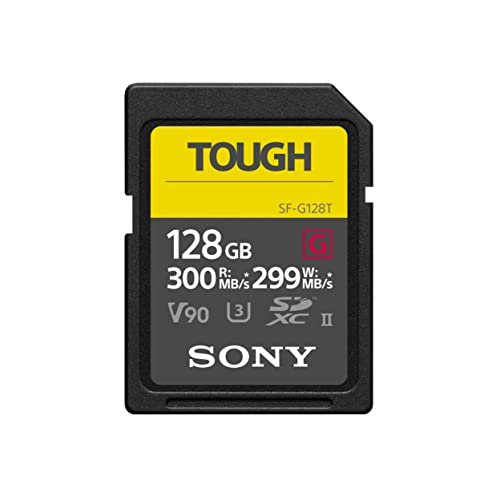
- Capacity options: 32GB, 64GB, 128GB, 256GB
- Speed class: V90 / U3 / Class 10
- Bus: UHS-II
- Read speed: 300 MB/s
- Write speed: 299 MB/s
- Warranty: Limited lifetime
- Build: Ribless monolithic body — genuinely rugged
The Sony Tough G is the standard other V90 cards are measured against. That 299 MB/s write speed is not a rounding artifact — it’s one of the fastest sustained write speeds available on any SD card, which matters when your camera is hammering the card during 8K RAW or high-frame-rate continuous bursts. Independent camera benchmarks consistently place it at or near the top for in-camera write performance.
The physical design is worth calling out separately. Sony eliminated the write-protect tab and the physical locking notch on the card body, replacing them with a single ribless monolithic block of polycarbonate. It bends before it snaps. It survives 72 hours submerged at 5 meters. It tolerates temperature swings from -25°C to 85°C. For outdoor photographers — alpine climbers, surf photographers, drone operators in rain — these specifications are not marketing; they eliminate a category of failure modes.
The one caveat is price. The Tough G commands a premium over comparable V90 cards. If your shooting conditions are controlled studio work, you’re paying for ruggedness you don’t need. But for anyone working outdoors or in demanding production environments, the durability premium is cheap insurance.
Lexar Professional 2000x UHS-II — Best for Burst Shooters
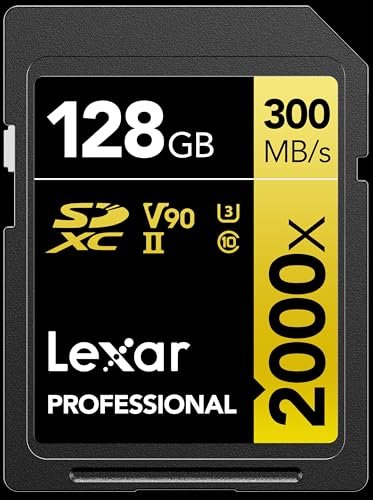
- Capacity options: 32GB, 64GB, 128GB, 256GB
- Speed class: V90 / U3 / Class 10
- Bus: UHS-II
- Read speed: 300 MB/s
- Write speed: 260 MB/s
- Warranty: Limited lifetime
- Build: Standard (not ruggedized)
The Lexar 2000x is the competitor Sony Tough G owners most often consider, and for good reason. It matches the Sony on reads (300 MB/s) and comes close on writes (260 MB/s), making it functionally equivalent for 8K and high-bitrate RAW workflows. Where it earns its keep is in continuous burst photography — the UHS-II bus with V90 speed class means your buffer clears fast enough to keep up with sports and wildlife sequences that would leave slower cards gasping.
Lexar backs it with a lifetime warranty and bundles a UHS-II card reader with multi-packs, which is a real value add when you consider that most readers currently shipping with cameras are UHS-I only. Using your UHS-II card with a UHS-I reader cuts your transfer speeds roughly in half during offload.
The build is standard — no armor plating, no ribless monolith. It’s waterproof and temperature-resistant, but it has a write-protect tab that will snap if you’re rough with it. For studio and location work where the card lives in a camera or Pelican case, that’s a non-issue. For surfboard camera setups, buy the Sony instead.
SanDisk Extreme Pro SDXC UHS-I — Best for UHS-I Cameras
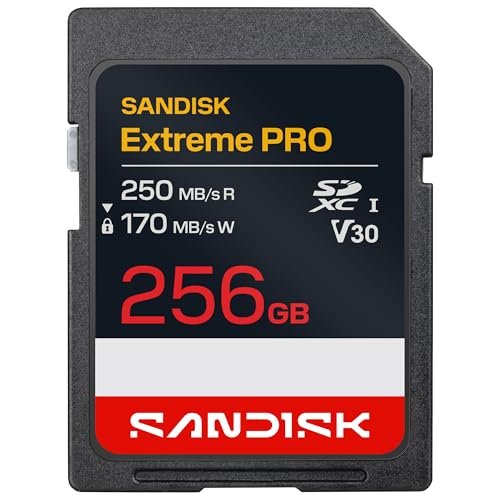
- Capacity options: 32GB–2TB
- Speed class: V30 / U3 / Class 10
- Bus: UHS-I
- Read speed: 250 MB/s
- Write speed: 170 MB/s
- Warranty: Limited lifetime
- Build: Standard (waterproof, temperature-proof, shockproof)
The SanDisk Extreme Pro is the right answer for the majority of camera owners: people shooting 4K on a camera with a UHS-I slot. If your camera doesn’t have the second row of gold pins that UHS-II requires, spending more on a UHS-II card buys you nothing — the bus can’t use the extra bandwidth. The Extreme Pro squeezes every bit of performance possible out of UHS-I, with 250 MB/s reads and 170 MB/s writes that exceed what most UHS-I cameras can actually use.
At V30 speed class, it guarantees a minimum 30 MB/s sustained write, which is sufficient for mainstream 4K codecs including H.264 and H.265 at standard bitrates (typically 50–150 Mbps, or roughly 6–19 MB/s). For LOG profiles and All-I recording at higher bitrates, you want V60 minimum — that’s not what this card is for.
It comes in capacities up to 2TB, which is notable for event photographers who prefer not to swap cards. Build quality is solid for a consumer card: waterproof, temperature-proof, shockproof, and X-ray proof. SanDisk backs it with a lifetime warranty.
ProGrade Digital V60 UHS-II — Best Mid-Tier UHS-II
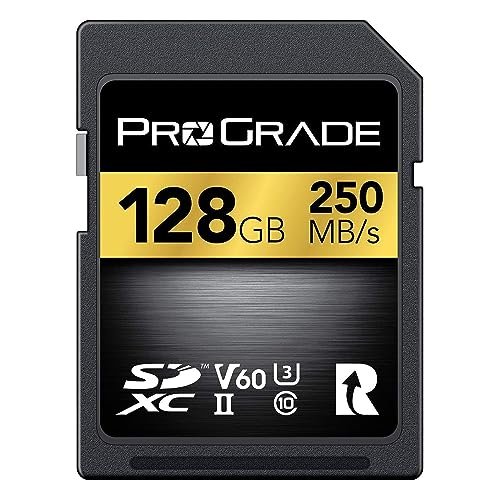
- Capacity options: 64GB, 128GB, 256GB, 512GB, 1TB
- Speed class: V60 / U3
- Bus: UHS-II
- Read speed: 250 MB/s
- Write speed: 130 MB/s
- Warranty: Limited lifetime
- Build: Standard (waterproof, shockproof)
The ProGrade V60 occupies a sweet spot that photographers using newer mirrorless systems should pay attention to. Cameras like the Sony A7 IV, Nikon Z6 III, and Canon R6 Mark II write high-bitrate 4K — All-I modes at 200–800 Mbps — that exceeds what V30 cards can guarantee. V60 (minimum 60 MB/s sustained) handles everything these cameras can throw at the card, without paying V90 prices for headroom you don’t need.
ProGrade’s positioning as a “pro without the premium” brand holds up here. The read speed of 250 MB/s and write of 130 MB/s are meaningful for offload workflows — getting 256GB of RAW stills off a card quickly on a long travel day is a real quality-of-life improvement. ProGrade is a US-based brand started by former SanDisk executives with a focus on professional media; their quality control is consistently well-reviewed by working photographers.
The 1TB capacity option makes this appealing for event and wedding photographers who want to minimize card swaps.
Angelbird AV Pro SD V60 MK II — Best for Cinema Rigs
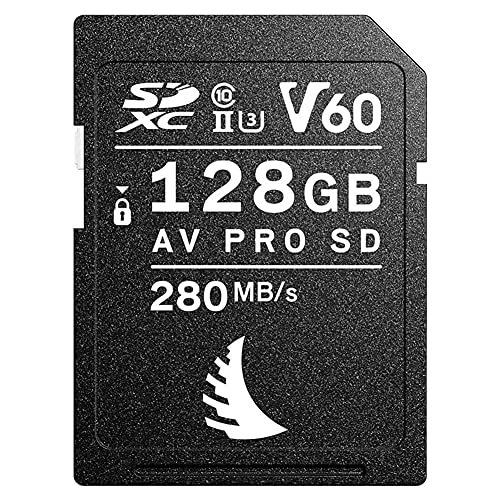
- Capacity options: 64GB, 128GB, 256GB, 1TB
- Speed class: V60 / U3
- Bus: UHS-II
- Read speed: 280 MB/s
- Write speed: 160 MB/s
- Warranty: 3-year limited + free data recovery service
- Build: Standard (temperature-rated for cinema use)
Angelbird is an Austrian company that has built a reputation in cinema with cards designed specifically for high-sustained-bitrate recording over long takes. The AV Pro MK II’s “Stable Stream Technology” designation means write speeds remain consistent throughout the card’s capacity — not just at the start when the cache is empty. That matters in cinema, where a 20-minute take cannot have a dropped frame at minute 18 because the card ran out of write buffer.
At 280 MB/s read and 160 MB/s write, the MK II outperforms the ProGrade V60 on both metrics. The 3-year warranty plus Angelbird’s in-house data recovery service (in Austria) is a meaningful differentiator — if this card fails with irreplaceable footage on it, they’ll attempt recovery at no charge.
Angelbird has explicit approval lists for cameras including Sony VENICE, Canon EOS R5 C, and Blackmagic Pocket Cinema Camera 6K — check their website for your specific camera model. Their cards tend to be validated by camera manufacturers in ways generic cards are not.
Delkin Devices Power V90 UHS-II — Best Warranty
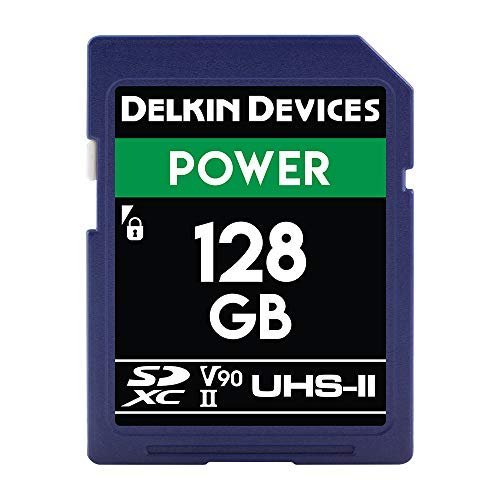
- Capacity options: 32GB, 64GB, 128GB, 256GB
- Speed class: V90 / U3
- Bus: UHS-II
- Read speed: 300 MB/s
- Write speed: 250 MB/s
- Warranty: Lifetime + 48-hour replacement guarantee
- Build: Standard (waterproof, shockproof, X-ray proof)
Delkin’s Power V90 is a serious competitor to Sony’s Tough G — matching the read speed (300 MB/s) and coming within 50 MB/s on writes (250 vs 299 MB/s). For 99% of workflows, that gap is meaningless. Where Delkin wins is warranty: not just lifetime coverage, but a 48-hour replacement guarantee. If the card fails, Delkin ships a replacement within 48 hours without waiting for you to return the defective unit first. For professionals who cannot be caught without cards, that is a genuinely valuable policy.
Delkin cards are a popular choice among wedding and sports photographers who need maximum buffer clearance and can’t afford lost shots. The V90 rating ensures a minimum 90 MB/s sustained write floor regardless of camera or environmental conditions — critical for recording 8K and RAW video where dropped frames are unrecoverable.
The Power line is available up to 256GB, which may be a limiting factor for videographers who prefer to minimize card swaps on long shoots. Delkin also offers the Black line (a higher-performance variant) if you need the absolute fastest write speeds in the Delkin ecosystem.
Speed Class Decoder: What Do You Actually Need?
Before buying, check your camera manual for minimum card speed requirements. Here’s how the classes map to real recording formats:
V30 (minimum 30 MB/s sustained write)
Sufficient for H.264/H.265 4K at standard bitrates (up to ~150 Mbps / ~19 MB/s). This covers most consumer and prosumer cameras. The SanDisk Extreme Pro UHS-I is the play here.
V60 (minimum 60 MB/s sustained write)
Required for high-bitrate 4K ALL-I, 6K, and compressed RAW modes on cameras like the Sony A7 series and Nikon Z series. Also recommended for DJI drones recording H.265 at high bitrates. The ProGrade V60 and Angelbird MK II are built for this.
V90 (minimum 90 MB/s sustained write)
Required for 8K video, uncompressed RAW, and cinema-grade recording on cameras like the Sony FX3/FX6, Canon EOS R5, and Phase One medium format. Also required by some cameras shooting high-bitrate 4K RAW (Canon C70, Blackmagic cameras). The Sony Tough G, Lexar 2000x, and Delkin Power are the options here.
UHS-I vs UHS-II
UHS-I uses a single row of contacts and maxes out at ~104 MB/s bus speed (theoretical). UHS-II adds a second row of contacts and delivers up to ~312 MB/s bus speed. The key point: UHS-II cards work in UHS-I slots, but fall back to UHS-I speeds. If your camera only has UHS-I, buy a UHS-I card — the extra money for UHS-II buys nothing in the camera, though it speeds up offload if you have a UHS-II card reader.
Frequently Asked Questions
What SD card speed do I need for 4K video?
It depends on the codec and bitrate, not just resolution. Standard H.264/H.265 4K at 100–150 Mbps (roughly 12–19 MB/s) works fine on a V30 card. High-bitrate ALL-I 4K at 200–800 Mbps needs V60 minimum. 8K and uncompressed RAW recording requires V90. Check your camera’s manual — it will specify the minimum required speed class, which is more reliable than guessing from resolution alone.
What’s the difference between UHS-I and UHS-II?
UHS-I and UHS-II refer to the bus interface — how fast data can move between the card and the camera or reader. UHS-I has a single row of contacts and a maximum bus speed of ~104 MB/s. UHS-II adds a second row of contacts and pushes the bus ceiling to ~312 MB/s. UHS-II cards are backward compatible with UHS-I slots, but they can only operate at UHS-II speeds in a UHS-II slot. You can identify a UHS-II card by the two rows of gold contacts on the back.
What is V30, V60, V90?
V-class ratings (V6, V10, V30, V60, V90) define the minimum sustained write speed in MB/s — V30 means the card will never write slower than 30 MB/s under any conditions, V60 means never slower than 60 MB/s, and so on. Unlike U-class ratings (U1, U3), which are older and less precise, V-class is specifically designed for video recording standards. If your camera specifies a V-class requirement, that number is a hard floor — not a suggestion.
Do I need CFexpress instead of SD?
If your camera supports CFexpress Type B or Type A, seriously consider it. CFexpress Type B cards deliver 1,700+ MB/s reads and 1,500+ MB/s writes — a level of performance SD cannot touch, even UHS-II V90. Sony’s A1 and A9 III, Canon R3 and R5 Mark II, and Nikon Z9 all use CFexpress. The trade-off is cost: CFexpress cards are significantly more expensive per GB. For SD-only cameras, V90 UHS-II is the ceiling, and it’s plenty for most workflows. But if you’re debating a camera body upgrade and one option has CFexpress, that slot future-proofs you far more than a second SD slot.
How many GB do I need?
At 4K/H.264 100 Mbps, you’ll use roughly 4.5 GB per hour of footage — 64GB holds about 14 hours. At 4K ALL-I 400 Mbps, you use roughly 18 GB per hour — 128GB holds about 7 hours. For RAW stills at 50 MB per frame shooting 20 fps in a burst, 128GB holds roughly 130 bursts of 50 frames each. Most photographers benefit from carrying multiple 64–128GB cards rather than one large card: if a single large card fails, you lose everything.
Can I use the same SD card in my camera and drone?
Yes, with caveats. Confirm your drone’s minimum speed class requirement — DJI drones vary by model (the Air 3 needs V30, the Mavic 3 Pro needs V60 for certain resolutions). A V60 UHS-II card works in both most mirrorless cameras and most DJI drones that accept standard SD cards.
Related Reads
- Best External SSD — For offloading and backup in the field
- Best Rugged External SSD — Weatherproof storage for location shoots
- Best SSD for Video Editing — Once the footage is off the card
- Best USB Flash Drive — Transferring selects to a client or collaborator