Best SSD for Video Editing in 2026
TL;DR — Quick Answer
For most 4K workflows, the SanDisk Pro-G40 hits the sweet spot of speed, ruggedness, and broad compatibility. If you’re on an M4 Pro or M4 Max Mac doing ProRes or RED RAW, the LaCie Rugged SSD Pro5 is the only drive fast enough to keep up natively. Skip the WD Black P40 if you’re editing anything above 4K H.264.
How Fast Does an SSD Need to Be for Video Editing?
This is the single most common question we get, so here’s the direct answer:
| Format | Minimum Read Speed Needed |
|---|---|
| 1080p H.264/HEVC | 100 MB/s |
| 4K H.264/HEVC | 500 MB/s |
| 4K ProRes 422 HQ | 1,000 MB/s |
| 4K ProRes RAW / BRAW | 1,500–2,500 MB/s |
| 8K RAW (RED, ARRI) | 3,500+ MB/s |
| Product | Interface/Speed | Capacity | Best For | Buy |
|---|---|---|---|---|
| LaCie Rugged SSD Pro5 | Thunderbolt 5 — 6,700 MB/s read | 2TB, 4TB | 8K RAW, M4 Pro/Max Mac users | 2TB 4TB |
| SanDisk Pro-G40 | TB3/USB-C — 3,000 MB/s read | 1TB, 2TB, 4TB | 4K ProRes RAW, mixed workflows | 1TB 2TB |
| OWC Envoy Pro FX | TB3/USB-C — 2,800 MB/s read | 240GB–4TB | Mac-first Final Cut Pro setups | 1TB 2TB 4TB |
| Sabrent Rocket XTRM-Q | TB3/USB-C — 2,700 MB/s read | 1TB–8TB | Budget TB3 option | 2TB |
| Samsung T9 | USB 3.2 Gen 2×2 — 2,000 MB/s read | 1TB, 2TB, 4TB | Windows editors, PC portability | 2TB |
| WD Black P40 | USB 3.2 Gen 2×2 — 2,000 MB/s read | 500GB, 1TB, 2TB | Budget 4K H.264 option | 1TB 2TB |
How We Picked
- Sustained throughput, not peak specs. We looked at benchmark data from Tom’s Hardware, AnandTech, and StorageReview for real-world sustained speeds, not burst numbers.
- Codec-specific viability. A drive fast enough for H.264 may bottleneck ProRes. We matched each drive to the codec tiers it can actually handle.
- Thermal behavior under load. Drives that throttle after 30 seconds are flagged. Video editing sessions run long.
- Interface honesty. Thunderbolt 3/4/5 and USB 3.2 Gen 2×2 both use USB-C connectors. They are not interchangeable. We spell this out for each drive.
- Software compatibility. DaVinci Resolve, Premiere Pro, and Final Cut Pro all have different I/O patterns. We noted which drives work best with each.
- Value at each tier. We included picks at premium, upper-mid, and budget price points.
The Picks
LaCie Rugged SSD Pro5 — Best for 8K RAW and Apple Silicon Power Users
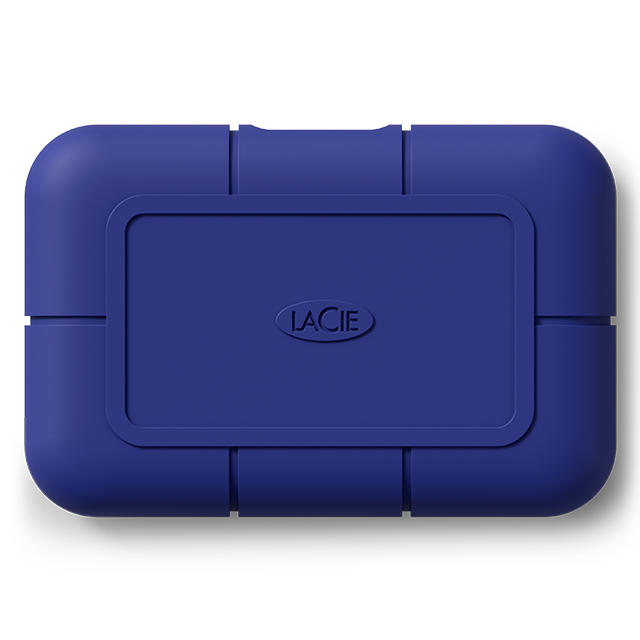
Capacity: 2TB, 4TB | Interface: Thunderbolt 5 (USB-C connector) | Read: 6,700 MB/s | Write: 5,300 MB/s | Warranty: 5 years | IP rating: IP68
The Pro5 is the fastest portable SSD you can buy right now, and it’s not close. With Thunderbolt 5’s 120 Gbps bandwidth, it delivers 6,700 MB/s reads — enough to feed multiple 8K RAW streams simultaneously. In practice, on a MacBook Pro M4 Max or M4 Pro, this thing obliterates every other portable drive on the market.
The catch is real: you need a Thunderbolt 5 host to get that speed. Connected via Thunderbolt 3 or 4, you’ll cap around 2,800–3,000 MB/s — still excellent for 4K ProRes, but you’re leaving most of what you paid for on the table. The IP68 rating and rubberized shell carry on LaCie’s rugged tradition. If you’re shooting RED V-RAPTOR or ARRI ALEXA RAW and need a portable drive that won’t bottleneck your edit, this is the answer.
Final Cut Pro users on M4 machines will benefit most immediately. DaVinci Resolve 19 with full RAW decode also leans on this kind of throughput for real-time playback without proxy workflows.
View on Amazon (2TB) View on Amazon (4TB)
SanDisk Pro-G40 — Best All-Around for 4K ProRes Workflows
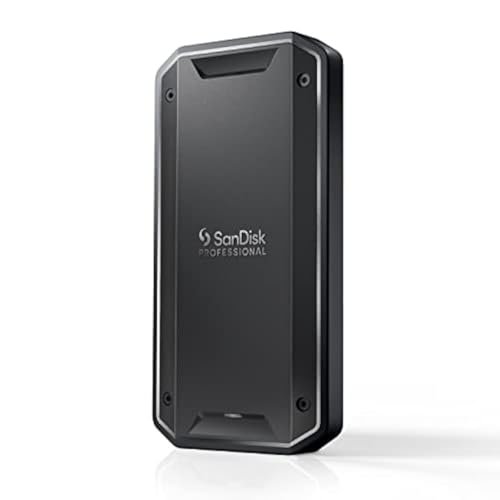
Capacity: 1TB, 2TB, 4TB | Interface: Thunderbolt 3 (40 Gbps) / USB-C (10 Gbps) | Read: 3,000 MB/s (TB3) / ~900 MB/s (USB) | Write: ~2,500 MB/s (TB3) | Warranty: 5 years | IP rating: IP68
The Pro-G40 is our top recommendation for most video editors. It hits 3,000 MB/s over Thunderbolt 3 — enough to handle 4K ProRes RAW, BRAW, and even early 6K workflows without breaking a sweat. It also falls back gracefully to USB-C at ~900 MB/s, which still clears 4K H.264 with headroom. The IP68 rating, aluminum core, and 4,000 lb crush resistance make it a drive you can take on-set without treating it like a precious object.
For DaVinci Resolve editors doing 4K BRAW or ProRes 4444, this drive runs those timelines in real time without proxies on most Apple Silicon and modern Intel machines. Premiere Pro users handling multicam 4K H.264 will find it more than adequate. The dual-mode connector (one port handles both TB and USB without an adapter) is a thoughtful design choice.
The cooling aluminum core is genuinely necessary — we’ve seen other drives at this speed tier throttle under sustained loads. The Pro-G40 manages heat well enough for long editorial sessions.
View on Amazon (1TB) View on Amazon (2TB)
OWC Envoy Pro FX — Best for Mac-First Final Cut Pro Users
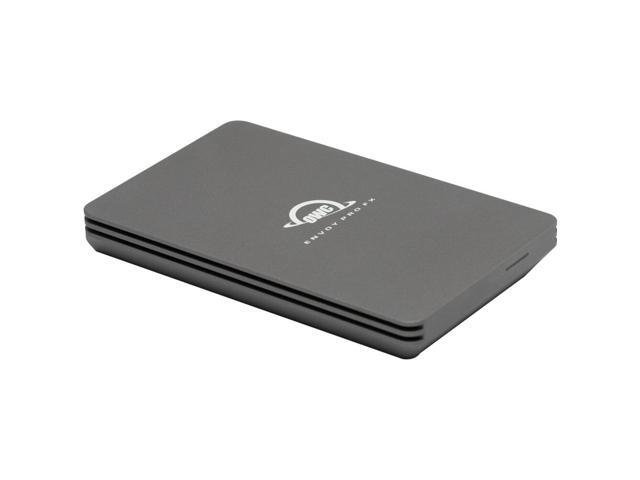
Capacity: 240GB, 480GB, 1TB, 2TB, 4TB | Interface: Thunderbolt 3 (40 Gbps) / USB 3.2 Gen 2 (10 Gbps) | Read: 2,800 MB/s (TB3) | Write: ~2,500 MB/s (TB3) | Warranty: 3 years | IP rating: IP67
OWC has been making Mac-compatible external storage since the PowerPC era, and the Envoy Pro FX is their best portable effort. At 2,800 MB/s, it comfortably handles 4K ProRes 422 HQ and ProRes RAW workflows. It’s bus-powered, meaning no wall adapter needed, and the aluminum enclosure doubles as a heat sink — thermal throttling is not an issue in normal editorial use.
Final Cut Pro users on Mac will appreciate that OWC ships the drive formatted as HFS+ (macOS Extended) out of the box, ready to use without reformatting. It’s also a popular choice among DIT (Digital Imaging Technicians) for on-set offloads using Silverstack or YoYotta — the TB3 connection is fast enough for real-time verify while offloading.
The 4TB model in particular is a practical choice for feature film editors who need to keep a full project’s media on a single portable drive without compromising on speed.
View on Amazon (1TB) View on Amazon (2TB) View on Amazon (4TB)
Sabrent Rocket XTRM-Q — Best Budget Thunderbolt 3 Option
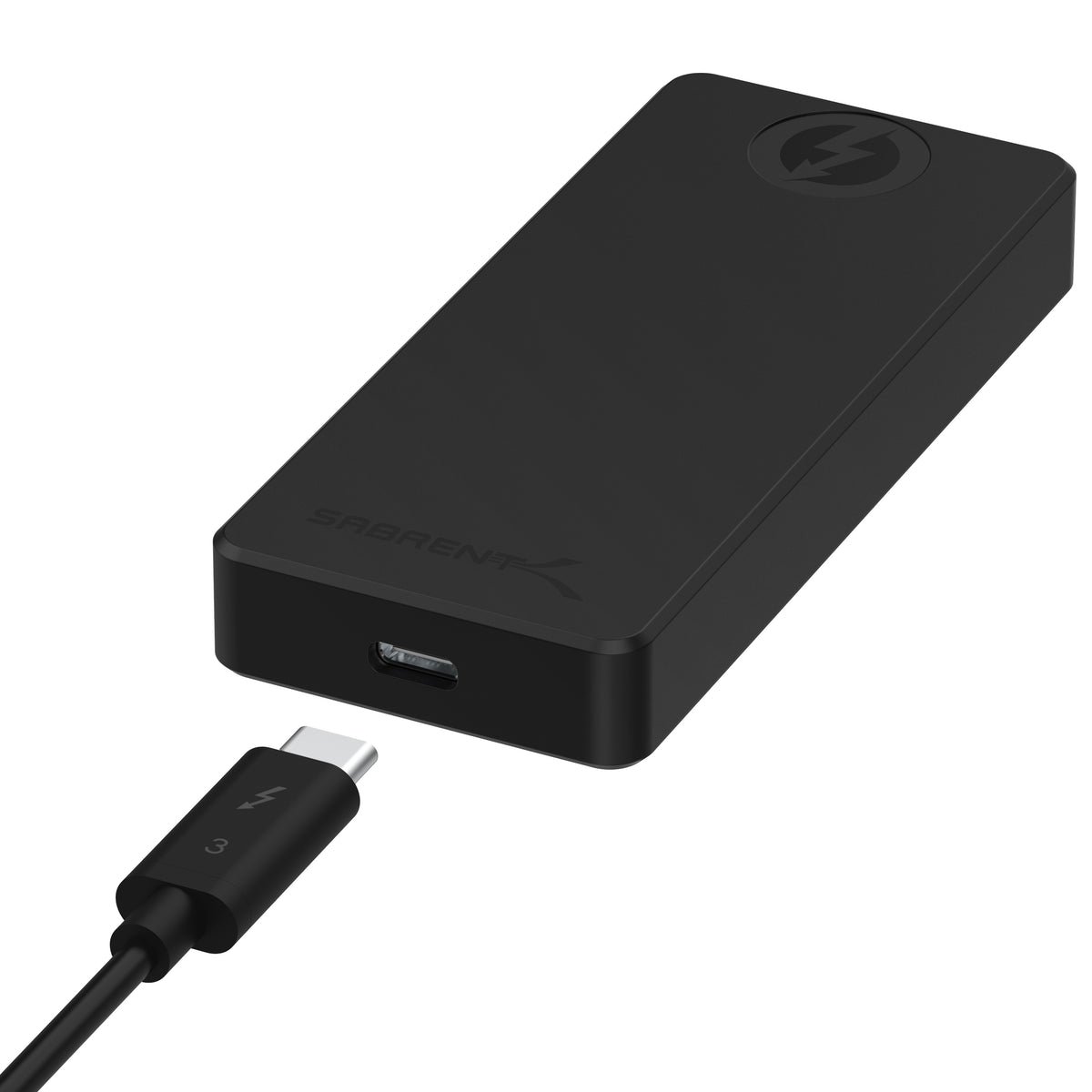
Capacity: 1TB, 2TB, 4TB, 8TB | Interface: Thunderbolt 3 / USB 3.2 Gen 2 | Read: 2,700 MB/s (TB3) / ~900 MB/s (USB) | Write: ~2,300 MB/s (TB3) | Warranty: 1 year | IP rating: None
The XTRM-Q gives you Thunderbolt 3 speeds at a lower price than the SanDisk Pro-G40 or OWC Envoy Pro FX. At 2,700 MB/s, it handles 4K ProRes 422 HQ without issue. The dual-mode design (Thunderbolt OR USB) is the same concept as the Pro-G40 — use whatever your host supports, at the appropriate speed. The aluminum chassis dissipates heat well enough for editorial sessions.
For editors on tight budgets who have Thunderbolt 3 on their laptop or desktop and are working with 4K H.264, HEVC, or standard ProRes 422 (not HQ), this drive delivers solid value. It’s especially compelling in the 4TB and 8TB configurations where the per-TB cost undercuts the competition significantly.
Samsung T9 — Best USB 3.2 Drive for Windows Editors
Capacity: 1TB, 2TB, 4TB | Interface: USB 3.2 Gen 2×2 (20 Gbps) | Read: 2,000 MB/s | Write: 2,000 MB/s | Thunderbolt: No | Warranty: 3 years | IP rating: None (3-meter drop resistance)
The T9 is the best portable SSD for editors who don’t have Thunderbolt — or who prefer not to pay for it. USB 3.2 Gen 2×2 delivers 20 Gbps of bandwidth, and Samsung’s implementation hits a genuine 2,000 MB/s in both directions. That’s more than enough for 4K H.264, HEVC, and standard ProRes 422. It is not fast enough for ProRes RAW or BRAW.
For Premiere Pro editors on Windows workstations with USB 3.2 Gen 2×2 ports, the T9 is a reliable, fast, and relatively affordable portable drive. Samsung Magician software adds firmware update and health monitoring. The dynamic thermal management system handles sustained loads reasonably well at this interface speed.
Where this drive falls short is macOS compatibility — it works, but the USB 3.2 Gen 2×2 spec requires the host to support 20 Gbps USB, and not all Macs do at that speed. M1/M2/M3 Macs max out at ~10 Gbps over USB-C (1,000–1,200 MB/s effective), so on those machines you’re leaving half the drive’s performance unused.
WD Black P40 — Best Budget Option for 1080p and 4K H.264
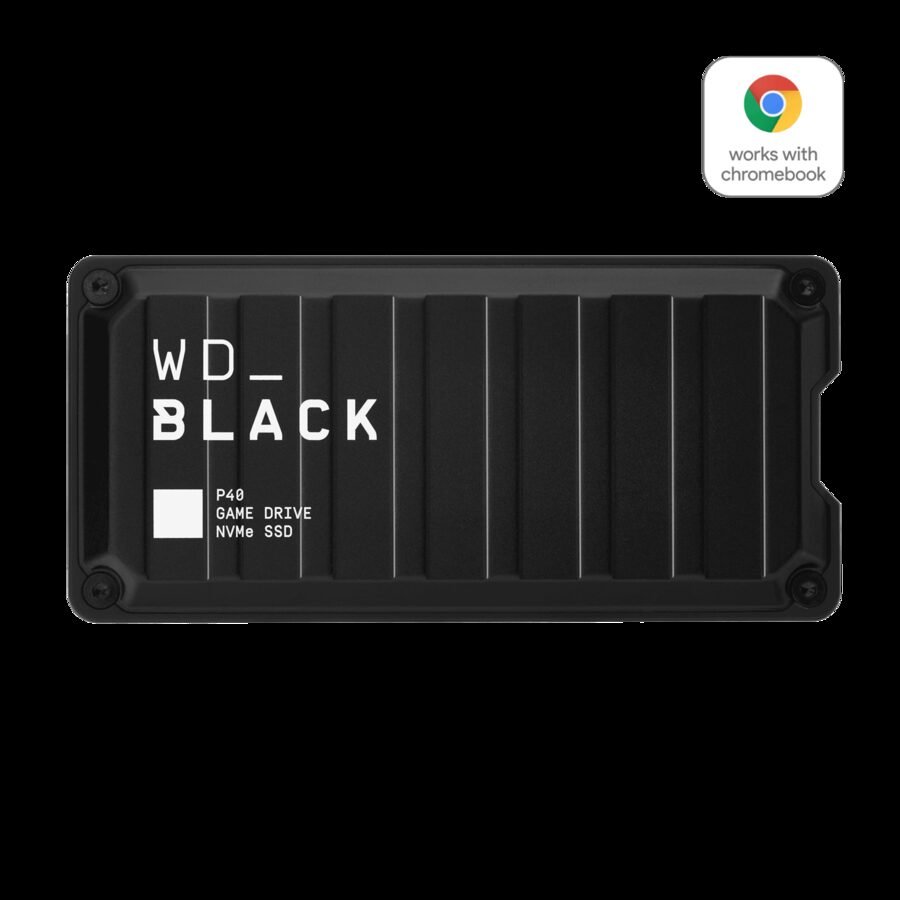
Capacity: 500GB, 1TB, 2TB | Interface: USB 3.2 Gen 2×2 (20 Gbps) | Read: 2,000 MB/s | Write: 2,000 MB/s | Thunderbolt: No | Warranty: 5 years | IP rating: None
The P40 shares the same USB 3.2 Gen 2×2 interface and 2,000 MB/s speed as the Samsung T9, and competes directly on price. Its 5-year warranty is a genuine advantage at this price tier. The RGB lighting is gaming-focused and frankly unnecessary for editing use — you can disable it via WD’s Dashboard software on Windows.
For YouTube editors, vloggers, and content creators working with 4K H.264 footage from mirrorless cameras — Sony FX3, Canon R5, Nikon Z9 — this drive keeps up with source media fine. It’s not a ProRes drive. It’s not a RAW drive. Used within those limits, it’s reliable and fast enough.
View on Amazon (1TB) View on Amazon (2TB)
Frequently Asked Questions
How fast does an SSD need to be for 4K editing?
For 4K H.264 or HEVC, 500 MB/s is the minimum viable speed. For 4K ProRes 422, you want 1,000 MB/s or more. For 4K ProRes RAW or BRAW, aim for 1,500–2,500 MB/s. For 8K RAW formats like RED or ARRI, you need 3,500 MB/s or more. All the drives on this list exceed the 500 MB/s threshold; only the Thunderbolt-equipped drives hit the ProRes RAW threshold.
Can I edit 4K video from a USB-C external SSD?
Yes, but the speed depends on which USB standard your port supports. A USB 3.2 Gen 2 (10 Gbps) port will deliver around 900–1,050 MB/s to your drive — enough for 4K H.264. A USB 3.2 Gen 2×2 (20 Gbps) port doubles that to ~1,800–2,000 MB/s. Thunderbolt 3/4 (40 Gbps) over a USB-C connector reaches 2,500–3,000 MB/s. The connector looks the same in all cases; the port spec determines the speed.
Is Thunderbolt worth it for video editing?
If you’re working with ProRes, BRAW, CinemaDNG, or any RAW format, yes — Thunderbolt 3 or higher is worth the premium. It’s also worth it for any sustained multi-camera edit where you’re streaming from a single drive. For H.264/HEVC-only workflows, USB 3.2 Gen 2×2 is sufficient and saves money.
Does an external SSD work with DaVinci Resolve?
Yes. DaVinci Resolve benefits from fast storage more than most NLEs because of its RAW decoding pipeline. For serious color work and 4K+ editing, Resolve’s minimum recommended drive speed is around 400 MB/s for standard codecs, but 1,000+ MB/s for RAW formats. Any of the Thunderbolt drives on this list exceed Resolve’s requirements.
What’s the difference between a Thunderbolt port and a USB-C port?
They use the same physical connector — the small oval USB-C shape — but Thunderbolt 3/4 ports carry 40 Gbps of bandwidth while standard USB-C ports carry 5–10 Gbps. A Thunderbolt drive plugged into a plain USB-C port will fall back to USB speeds. A USB drive plugged into a Thunderbolt port gets USB speeds — Thunderbolt ports are backward compatible with USB-C. Look for the lightning bolt icon next to the port on your Mac or PC.
Can I use a video editing SSD for Time Machine backups on Mac?
Technically yes, but it’s not a good idea for a fast external SSD. Time Machine has low throughput requirements and doesn’t need the speed. Using a 3,000 MB/s Thunderbolt drive as a Time Machine destination wastes the drive’s capability and adds wear. Use a dedicated external HDD or network drive for Time Machine.
What’s the best SSD format for video editing — exFAT, APFS, or HFS+?
If you work exclusively on Mac, APFS (on macOS 10.13+) is the best choice for external NVMe SSDs — it’s optimized for flash storage. If you need to move drives between Mac and Windows, format as exFAT. HFS+ works but lacks APFS’s journaling and copy-on-write efficiency for modern SSDs.