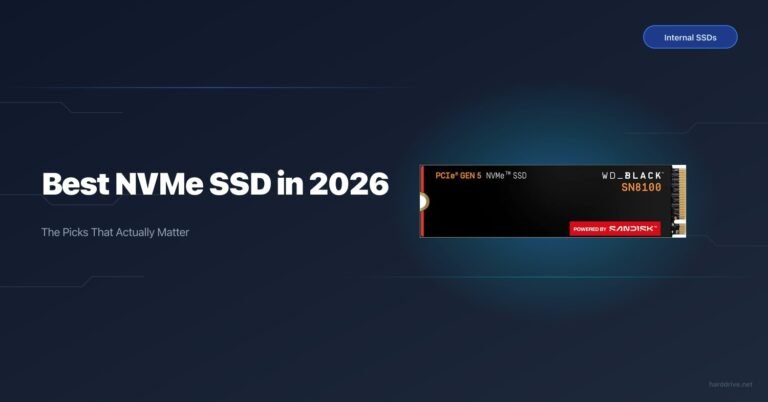
WD Black SN8100 Review: The Fastest Consumer SSD You Can Actually Buy
TL;DR — Quick Answer
The WD Black SN8100 is the best consumer NVMe SSD available right now. It delivers the highest sustained sequential speeds in its class, runs cooler than most Gen 5 competition, and is priced competitively. Buy it if you have a PCIe 5.0 M.2 slot and push large files regularly. Stick with a Gen 4 drive like the SN850X or Samsung 990 Pro if you don’t — the real-world difference in gaming and general use is unmeasurable.
| Product | Key Spec | Capacity | Best For | Buy |
|---|---|---|---|---|
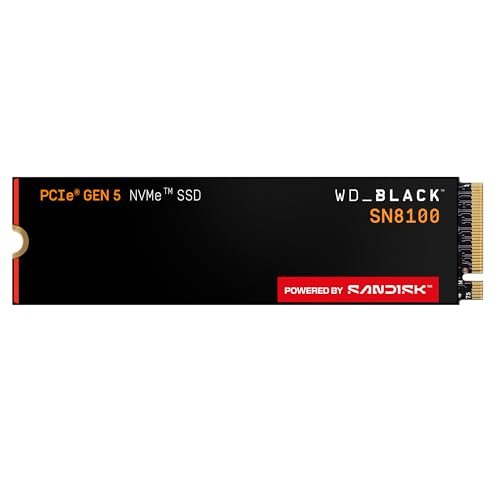
| WD Black SN8100 (1TB) | PCIe 5.0, 14,900 MB/s read, 600 TBW, DRAM | 1TB | Best Gen 5 overall | Amazon |
| WD Black SN850X (1TB) | PCIe 4.0, 7,300 MB/s read, 600 TBW, DRAM | 1TB | Best Gen 4 gaming/general | — |
| Samsung 990 Pro (1TB) | PCIe 4.0, 7,450 MB/s read, 600 TBW, DRAM | 1TB | Gen 4 alternative | — |
| Seagate FireCuda 530 (1TB) | PCIe 4.0, 7,300 MB/s read, 1,275 TBW, DRAM | 1TB | Gen 4 high endurance | — |
Who the SN8100 Is For
The SN8100 is for builders who already have a PCIe 5.0-capable motherboard (Intel Z690/Z790 12th gen+, or AMD X670/X870) and do work where sequential read/write bandwidth genuinely matters: video editing with large raw files, AI/ML pipeline data loading, regular backups or transfers of 50 GB+ archives, or synthetic benchmark enthusiasts.
If you’re a gamer buying a new system today, you’re probably not the target buyer. Game load times are not meaningfully improved by Gen 5 over Gen 4 — the differences, where they exist, are measured in tenths of a second. For gaming, the SN850X at a lower price is the smarter buy. Come back to Gen 5 when you have a genuine workflow that demands the bandwidth.
Full Specs
- Interface: PCIe 5.0 x4, NVMe 2.0
- Form factor: M.2 2280
- Controller: Silicon Motion SM2508
- NAND: Kioxia/SanDisk BiCS8 218-layer 3D TLC (3,600 MT/s)
- Capacities: 1TB, 2TB, 4TB (8TB planned)
- Sequential read: Up to 14,900 MB/s (all capacities)
- Sequential write: Up to 14,000 MB/s (2TB, 4TB); 11,000 MB/s (1TB)
- Random read: 2,300,000+ IOPS
- Random write: 2,300,000+ IOPS
- Active power (2TB): 6.5W (read), 7.0W (write)
- Active power (1TB): 6.2W
- Idle power: ~5 mW
- TBW: 600 TBW (1TB), 1,200 TBW (2TB), 2,400 TBW (4TB)
- MTBF: 1.75 million hours
- Warranty: 5 years
The SM2508 controller is the headline. While most Gen 5 competitors use Phison’s PS5026-E26, the SM2508 pairs with Kioxia’s BiCS8 NAND (the same joint Kioxia/SanDisk NAND technology) at 3,600 MT/s — the fastest NAND transfer rate in any consumer drive to date. That combination gives the SN8100 its random I/O advantage: over 2.3 million IOPS is a number previously associated with enterprise storage.
Performance
Sequential Read and Write
The SN8100 2TB is rated at 14,900 MB/s read and 14,000 MB/s write — and independent reviewers have confirmed it hits those numbers in CrystalDiskMark and AS SSD. More importantly, sustained sequential transfers stay near rated speeds for the duration. This is where the SM2508/BiCS8 combination earns its paycheck: the SLC cache is large relative to drive capacity, and when it does exhaust, the native TLC write speed is competitive.
The 1TB model is slightly constrained at 11,000 MB/s write — still faster than anything Gen 4, but noticeably behind the 2TB model. If you’re choosing between 1TB and 2TB for a primary drive, the 2TB is the better value in more ways than one.
Random 4K Performance
This is where the SN8100 genuinely distances itself from the Gen 4 field. Over 2.3 million IOPS in both read and write puts it in a different class. For most users, saturating random I/O limits in day-to-day use is difficult — operating system tasks, game asset streaming, and database operations rarely hit sustained IOPS limits on modern drives. But in mixed workloads that do demand high random performance (virtual machines, databases, AI model inference), the SN8100’s lead is meaningful.
Against the Samsung 990 Pro, the SN8100 delivers roughly 3x the random read IOPS. Against the SN850X, the advantage is even larger. Gen 5 is not just a sequential story.
Thermals
Gen 5 thermals are the single biggest reason people avoid this generation, and the SN8100 is worth examining carefully here.
Without any cooling, the SN8100 reaches surface temperatures above 100°C under sustained write loads, triggering throttling in minutes. This is not a WD-specific problem — it’s the physics of moving 7W through a small PCB with no heat path.
With adequate cooling, the picture changes significantly. Using a quality aftermarket heatsink (Thermalright HR-10, Noctua M.2 cooler, or similar), temperatures during sustained writes average around 57–66°C — well below the throttle threshold. Even the moderate cooling of a modern motherboard’s M.2 thermal shield keeps the drive in a workable range for typical workloads.
Recommendation: Buy the heatsink SKU of the SN8100. The aluminum heatsink with dual thermal interface pads adds minimal cost and eliminates the thermal concern for the vast majority of use cases. If you have an aftermarket M.2 cooler you prefer, the bare drive is fine — but do not run this drive without any cooling.
Comparison with Gen 4: The SN850X and Samsung 990 Pro run at roughly 3.5–4W active, half the SN8100’s draw. Their thermal behavior is much more relaxed, which is worth noting if your case airflow is poor or your M.2 slots are tucked under the GPU.
Compatibility
The SN8100 requires a PCIe 5.0 M.2 slot to run at full speed. Specifically:
- Intel: 12th gen (Alder Lake) or later on Z690, Z790 boards. Some Z690 boards route PCIe 5.0 only to the x16 slot — verify your specific board’s M.2 lane configuration before purchasing.
- AMD: X670, X670E, X870, X870E. B650 boards are Gen 4 M.2 only.
The drive is backward compatible with PCIe 4.0 M.2 slots and will work correctly — just at Gen 4 speeds (around 7 GB/s). This makes it a viable buy-once-upgrade-later option if you plan to move it to a Gen 5 system eventually.
NVMe 2.0 brings improved power management states vs NVMe 1.4, which benefits the idle power figure (5 mW is genuinely low for a drive this fast).
Value
At current prices, the SN8100 2TB sits at roughly the same price tier as the Samsung 9100 Pro while outperforming it in most benchmarks. Compared to the Gen 4 drives in the comparison table above, you’re paying a 30–50% premium for approximately 2x sequential throughput and 3x+ random I/O.
Whether that math works depends entirely on your workload. For users who move large files routinely, the productivity gain per dollar is real. For casual users and gamers, the Gen 4 alternatives are better value.
The SN850X remains the recommendation for Gen 4. At its price point, it’s hard to beat. The SN8100 is the recommendation for Gen 5, full stop.
Verdict
The WD Black SN8100 is the best consumer NVMe SSD you can buy in 2026. Its SM2508 controller paired with Kioxia BiCS8 NAND delivers the highest sequential speeds, the strongest random I/O performance, and better-than-expected thermal behavior in the Gen 5 segment.
Buy the SN8100 if: You have a PCIe 5.0 M.2 slot and do work that benefits from high sequential bandwidth — video production, AI/ML, large archive transfers, content creation.
Stick with Gen 4 if: You primarily game, browse, or do general productivity work. A WD Black SN850X or Samsung 990 Pro will perform identically in real use at a lower price.
Frequently Asked Questions
What controller does the WD Black SN8100 use?
The SN8100 uses Silicon Motion’s SM2508 controller — the same company that makes controllers for many budget drives, but the SM2508 is their high-end Gen 5 part. It’s paired with Kioxia BiCS8 218-layer TLC NAND running at 3,600 MT/s, which is faster NAND than most competitors use.
How does the SN8100 compare to the SN850X?
The SN8100 is approximately 2x faster in sequential reads (14,900 MB/s vs 7,300 MB/s) and 3x+ faster in random IOPS, but requires a PCIe 5.0 slot and runs hotter. For gaming and general use, the SN850X is indistinguishable in real-world experience. For professional workflows with large sequential transfers, the SN8100 is clearly ahead.
Does the SN8100 need a heatsink?
Yes. Without cooling, surface temperatures exceed 100°C under sustained load and throttling occurs quickly. Buy the heatsink SKU or use a quality aftermarket M.2 cooler. The heatsink version maintains 57–66°C during sustained writes, which is well within spec.
Is the WD Black SN8100 good for gaming?
The SN8100 is overkill for gaming in 2026. Game load times on Gen 5 vs Gen 4 are not meaningfully different — both are fast enough that CPU and GPU preparation time dominates. Buy a good Gen 4 drive and spend the difference on GPU or RAM.
What’s the TBW on the WD Black SN8100?
600 TBW on the 1TB, 1,200 TBW on the 2TB, 2,400 TBW on the 4TB. This scales linearly with capacity, which is standard for TLC drives. For context, 600 TBW means you could write the full 1TB to the drive 600 times — most home users will never approach this in the drive’s lifetime.
Does the SN8100 work in a PCIe 4.0 slot?
Yes. A Gen 5 drive in a Gen 4 slot runs at Gen 4 speeds (around 7 GB/s sequential), which is still fast. If you buy an SN8100 today on a Gen 4 system and upgrade your motherboard later, the drive will run at full speed in the new system.
Is the WD Black SN8100 good for video editing?
Yes — this is one of the clearest use cases where Gen 5 earns its premium. If you work with large raw video files (8K, high-bitrate 4K, RAW formats) and spend time waiting on file transfers to fast storage, the SN8100’s sequential bandwidth will provide real time savings.