Best Budget NVMe SSD in 2026
TL;DR — Quick Answer
The Lexar NM790 is the best all-around budget NVMe SSD — TLC NAND, genuinely fast, and no DRAM isn’t a problem at this speed tier. The Kingston NV3 and Silicon Power UD90 are solid runner-ups at even lower prices. QLC drives like the Kingston NV3 at higher capacities are worth buying for OS drives and general storage, but expect the sustained write speed to crater if you’re moving large files often. Budget NVMe is absolutely worth it for most users; just know what you’re buying.
Is a Cheap NVMe SSD Worth It?
Yes — with honest caveats.
In 2026, budget NVMe SSDs are fast enough for almost every consumer workload. OS boot drives, game installs, photo libraries, document storage — an entry-level NVMe M.2 SSD handles all of it at speeds that would have been flagship performance three years ago. Even the cheapest PCIe Gen 4 drives exceed 5,000 MB/s sequential reads. For most use cases, that’s faster than anything the system can actually saturate.
The honest caveats are about sustained writes and NAND type:
QLC NAND and the write cliff. QLC (Quad-Level Cell) NAND stores 4 bits per cell instead of TLC’s 3. More bits per cell means lower cost per GB. It also means slower raw write speeds. Manufacturers work around this with an SLC cache — a portion of the NAND that temporarily operates in faster single-bit mode to absorb incoming writes. When that cache fills (which can happen after writing 20–60GB depending on the drive and how full it is), write speed drops dramatically — sometimes to 200–400 MB/s, occasionally lower. For sustained large file transfers, that matters. For everyday use, most people never trigger it.
DRAM vs HMB. Traditional SSDs include a small DRAM chip used as a cache for the drive’s address table (the mapping of logical to physical NAND locations). Budget drives often skip this DRAM to cut costs. Many use Host Memory Buffer (HMB) instead — borrowing a small slice of system RAM for the same purpose. HMB drives perform nearly as well as DRAM drives for typical workloads and are the dominant design in this price tier as of 2026.
| Product | Interface | Capacity | Best For | Buy |
|---|---|---|---|---|
| Lexar NM790 — TLC, HMB | PCIe Gen 4 x4 | 1TB–4TB | Best all-around value | Amazon → |
| WD Black SN7100 — TLC, HMB | PCIe Gen 4 x4 | 500GB–4TB | Power efficiency, laptops | Amazon → |
| Samsung 990 EVO — TLC, HMB | PCIe Gen 4 x4 / Gen 5 x2 | 1TB–2TB | Samsung ecosystem trust | Amazon → |
| Teamgroup MP44L — TLC, HMB | PCIe Gen 4 x4 | 250GB–2TB | Thermals, value | Amazon → |
| Silicon Power UD90 — TLC, HMB | PCIe Gen 4 x4 | 500GB–4TB | Large capacity value | Amazon → |
| Kingston NV3 — QLC, HMB | PCIe Gen 4 x4 | 500GB–4TB | High-capacity, light use | Amazon → |
How We Picked
- Real specs, not marketing peaks. Sequential read numbers are burst figures from an SLC cache state. We noted drives that sustain performance after cache exhaust.
- NAND type transparency. TLC and QLC have genuinely different use profiles. We tell you which is which.
- DRAM vs HMB clarity. “No DRAM” sounds like a negative but HMB implementation matters. We evaluated how each drive uses HMB.
- Sustained write behavior. We reviewed benchmark data from Tom’s Hardware, PCWorld, ServeTheHome, and TechPowerUp for sustained write tests.
- Warranty and endurance. TBW (terabytes written) ratings and warranty lengths vary. Longer is better.
- Price-per-GB at common capacities. Budget drives live and die by $/GB. We picked drives that offer genuine value at the 1TB and 2TB sweet spots.
Lexar NM790 — Best Budget NVMe SSD Overall
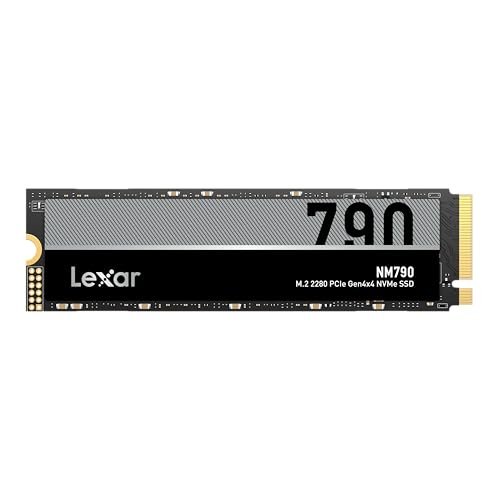
- Capacity: 512GB, 1TB, 2TB, 4TB
- Interface: PCIe Gen 4 x4, NVMe 1.4
- Sequential read: 7,400 MB/s
- Sequential write: 6,500 MB/s
- NAND type: TLC (YMTC 232-layer 3D TLC)
- DRAM: No (HMB 3.0)
- Warranty: 5 years
The NM790 is the best value NVMe SSD you can buy in 2026. It uses YMTC’s 232-layer TLC NAND, managed by a MaxioTech MAP1602A controller. The result is legitimately fast: 7,400 MB/s sequential reads and 6,500 MB/s writes are mid-range drive numbers, not budget numbers. The absence of DRAM is offset by HMB 3.0, which borrows system RAM for address mapping — in real-world use on a modern PC with adequate RAM, the performance hit is negligible for most workloads.
Crucially, the NM790 uses TLC NAND — not QLC. This matters for sustained writes. Under sustained sequential writes beyond the SLC cache, TLC drives maintain much more respectable speeds than QLC competitors. For users who move large files regularly (video offloads, game library transfers, large backup operations), TLC is the right choice.
At the 1TB and 2TB capacity points, the NM790 hits a price-per-GB that’s hard to beat with this NAND quality. Compatible with PS5’s M.2 expansion slot (the 1TB model fits the 2280 form factor).
WD Black SN7100 — Best for Laptops and Power Efficiency
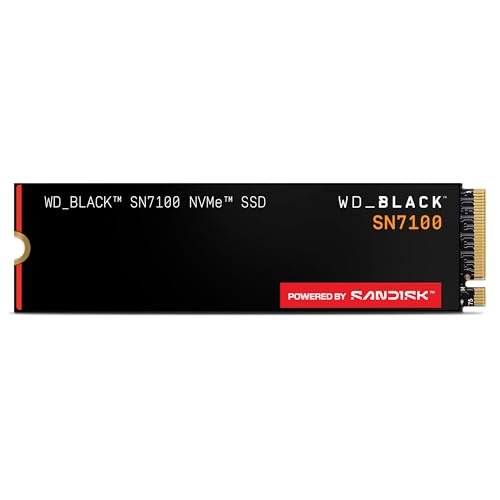
- Capacity: 500GB, 1TB, 2TB, 4TB
- Interface: PCIe Gen 4 x4, NVMe
- Sequential read: 7,250 MB/s (1–2TB)
- Sequential write: 6,900 MB/s (1–2TB)
- NAND type: TLC (Kioxia BiCS 8, 218-layer)
- DRAM: No (HMB — WD Polaris 3 controller)
- Warranty: 5 years
The SN7100 is a TLC drive from Western Digital built specifically for the laptop and handheld gaming device market — thin, light, single-sided, and impressively power-efficient. WD claims 100% better power efficiency compared to the SN770, and reviews back that up. For ultrabooks and gaming handhelds (Steam Deck, ROG Ally, Legion Go) where every milliwatt of idle drain matters, the SN7100 is the thoughtful choice.
Performance at the spec sheet level is strong: 7,250 MB/s read on the 1TB and 2TB models puts it at the top of the HMB-only tier. In real-world benchmarks, it occasionally trails some competitors that have DRAM in heavy random workloads, but for the use cases this drive targets — gaming, everyday laptop use, light creative work — the gap is immaterial.
The 2TB single-sided configuration is particularly valuable for slim laptops with M.2 slots that can only accept single-sided drives. WD’s 5-year warranty at this price tier is among the best in class.
Samsung 990 EVO — Best for Samsung Ecosystem and Reliability Trust
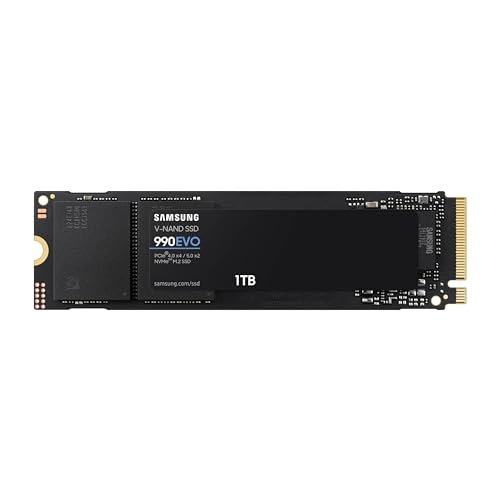
- Capacity: 1TB, 2TB
- Interface: PCIe Gen 4 x4 / Gen 5 x2, NVMe 2.0
- Sequential read: 5,000 MB/s
- Sequential write: 4,200 MB/s
- NAND type: TLC (Samsung V-NAND)
- DRAM: No (HMB with Samsung’s Intelligent Turbowrite)
- Warranty: 5 years
The 990 EVO is not the fastest drive on this list, but it’s Samsung’s drive — and for many buyers, that matters. Samsung V-NAND has a long track record for longevity and consistent performance over time. The 990 EVO’s rated speeds (5,000/4,200 MB/s) are lower than the Lexar NM790 or WD SN7100, but Samsung’s Intelligent Turbowrite and HMB implementation keep real-world performance competitive for typical workloads.
The dual-interface design (PCIe Gen 4 x4 OR Gen 5 x2) means this drive is somewhat future-compatible with Gen 5 platforms, where it can use a two-lane Gen 5 connection instead of four-lane Gen 4 — potentially extending its useful life.
Samsung Magician software is the best drive management utility in the consumer NVMe space. Firmware updates, health monitoring, secure erase, and over-provisioning are all handled through a polished interface.
Teamgroup MP44L — Best Ultra-Budget TLC Pick
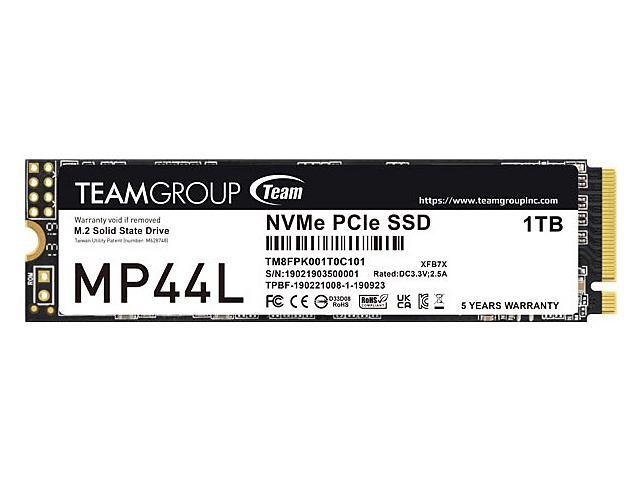
- Capacity: 250GB, 500GB, 1TB, 2TB
- Interface: PCIe Gen 4 x4, NVMe 1.4
- Sequential read: 5,000 MB/s (1TB)
- Sequential write: 4,500 MB/s (1TB)
- NAND type: TLC (SLC cache)
- DRAM: No (HMB)
- Warranty: 5 years
The MP44L is consistently among the cheapest TLC NVMe SSDs available, and it performs well for its price. At 5,000/4,500 MB/s for the 1TB model, it’s not a flagship performer, but it’s TLC NAND — meaning sustained write speeds hold up much better than QLC competitors when you push past the SLC cache.
Teamgroup’s distinctive graphene-coated aluminum label is a genuine thermal management feature, not decoration. Independent reviews confirm it runs cooler than drives without the coating under sustained loads, which is relevant if your build has limited airflow or you’re installing in a laptop without M.2 heatsink contact.
The 5-year warranty at this price tier is competitive. For budget PC builds where you need a reliable OS drive and general storage without paying for peak performance, the MP44L is a smart buy.
Silicon Power UD90 — Best Large-Capacity Budget Option
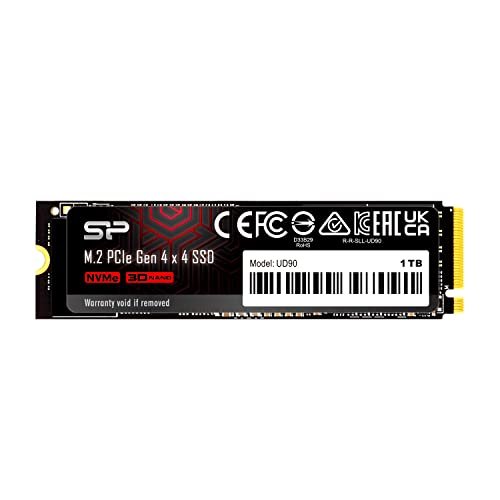
- Capacity: 250GB, 500GB, 1TB, 2TB, 4TB
- Interface: PCIe Gen 4 x4, NVMe 1.4
- Sequential read: 5,000 MB/s (1TB, 2TB)
- Sequential write: 4,800 MB/s (1TB, 2TB)
- NAND type: TLC
- DRAM: No (HMB)
- Warranty: 5 years
The UD90 stands out for its 4TB availability at a genuinely low per-GB cost. At the 1TB and 2TB tiers, it matches the MP44L on performance (5,000/4,800 MB/s) with the same HMB approach. For builders who want to consolidate storage onto a single large NVMe drive, the 4TB UD90 offers compelling value.
Silicon Power isn’t a household name in the way Samsung or WD are, but the UD90 has reliable reviews and the 5-year warranty backs the company’s confidence. The LDPC error correction coding helps maintain data integrity as the NAND ages.
For home media servers, game libraries, and large photo archives on a budget, the 4TB UD90 is among the best $/GB propositions in M.2 NVMe storage as of 2026.
Kingston NV3 — Best QLC Option for High Capacity on a Tight Budget
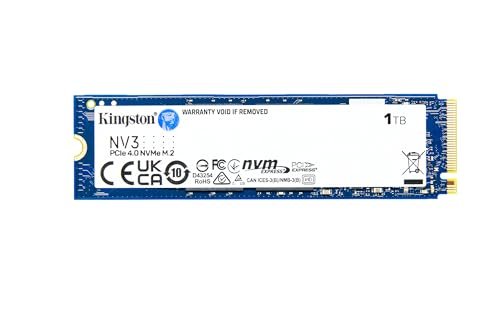
- Capacity: 500GB, 1TB, 2TB, 4TB
- Interface: PCIe Gen 4 x4, NVMe
- Sequential read: 6,000 MB/s
- Sequential write: 5,000 MB/s (varies by capacity)
- NAND type: QLC
- DRAM: No (HMB, Silicon Motion SM2268XG controller)
- Warranty: 3 years
The Kingston NV3 is a QLC drive, and we’re going to be straight with you about what that means. Under the SLC cache (roughly 20–50GB depending on capacity and fill state), it’s fast: 6,000 MB/s reads are genuinely competitive. Past the cache, write speeds drop significantly — to the 200–600 MB/s range for direct-to-QLC writes depending on capacity. For most users — OS drive, game installs, document storage — you’ll never trigger sustained post-cache performance because workloads rarely write that much in a single operation.
Where QLC makes sense: high-capacity storage at the lowest possible cost per GB. If you want a 4TB NVMe drive for game storage or large media archives and you’re not regularly moving 50GB+ at a time, the NV3 4TB is a perfectly reasonable choice. The 3-year warranty (shorter than TLC competitors at similar prices) reflects the lower endurance of QLC NAND.
Frequently Asked Questions
Is a cheap NVMe SSD worth it?
Yes, for most use cases. Budget NVMe drives in 2026 deliver 5,000–7,400 MB/s sequential reads — fast enough for OS boot, game loading, and general file work. The caveats are sustained write performance (QLC drives throttle significantly) and endurance (QLC NAND has lower TBW ratings). For an OS drive or game library, any of the drives on this list are a meaningful upgrade over SATA SSDs or hard drives.
What is the difference between TLC and QLC NAND?
TLC (Triple-Level Cell) stores 3 bits per cell; QLC (Quad-Level Cell) stores 4 bits per cell. More bits per cell means lower cost per gigabyte, but also slower raw write speeds and lower endurance. QLC drives use SLC caching to mask the write speed penalty for short bursts, but beyond the cache, sustained writes are significantly slower than TLC. For OS drives and everyday storage, the difference is rarely felt. For sustained large file transfers, it matters.
What is HMB (Host Memory Buffer)?
HMB is a technology that allows an NVMe SSD without a DRAM chip to borrow a small allocation (typically 64MB) of the system’s RAM to use as a drive mapping cache. This significantly reduces the performance gap between DRAM-equipped and DRAM-less drives for typical workloads. All the drives on this list use HMB. For most consumer use cases in 2026, HMB drives perform nearly identically to DRAM drives — the difference shows up mainly in heavy random I/O stress tests.
Do I need DRAM in my NVMe SSD?
Probably not, for most users in 2026. HMB implementations have improved significantly, and the real-world performance difference between DRAM and DRAM-less (HMB) drives is small for typical PC workloads. If you’re running a NAS, file server, or workstation with sustained 24/7 random I/O, DRAM matters. For gaming, everyday computing, and even light creative work, HMB is fine.
What does “SLC cache” mean on an NVMe SSD?
SLC (Single-Level Cell) mode stores 1 bit per cell, making it much faster and more durable than the native TLC or QLC mode. Drives use a portion of their NAND as a temporary SLC write buffer — incoming data is written quickly to SLC, then migrated to TLC/QLC in the background. The result is fast burst write speeds. The limitation: the SLC cache is finite (typically 20–60GB on budget drives), and once it fills, writes go directly to native TLC or QLC speed. On QLC drives, that post-cache speed can drop dramatically.
Is PCIe Gen 4 worth it over Gen 3 in 2026?
Yes, at current price parity. Gen 4 drives cost roughly the same as Gen 3 in 2026 and offer 2x the theoretical bandwidth. On Gen 3 systems, a Gen 4 drive is backward compatible and runs at Gen 3 speeds — no harm done. On Gen 4 and Gen 5 systems, you get the full benefit. Buy Gen 4. There’s no reason to choose Gen 3 in a new purchase.
What is the best NVMe SSD for a gaming PC build?
The Lexar NM790 or WD Black SN7100 at 1TB or 2TB are the best choices for a gaming PC. Both use TLC NAND, meaning game installs and library transfers are fast and don’t suffer from QLC write throttling. For pure storage expansion where you’ll mostly be reading (loaded games), the Kingston NV3 at 2TB or 4TB is also a reasonable budget choice.